LM35 Temperature Sensor Interfacing with PIC18F4550
LM35 is a sensor that is used to measure temperature. It provides an electrical output proportional to the temperature (in Celsius).
Overview of LM35
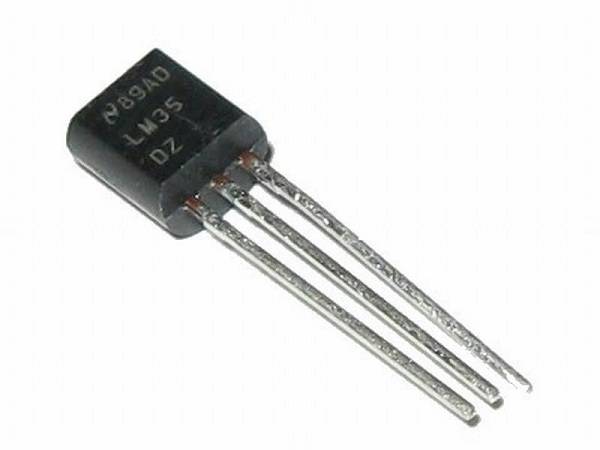
LM35 is a temperature sensor that can measure temperature in the range of -55°C to 150°C.
It is a 3-terminal device that provides an analog voltage proportional to the temperature. The higher the temperature, the higher is the output voltage.
The output analog voltage can be converted to digital form using ADC so that a microcontroller can process it.
For more information about LM35 and how to use it, refer to the topic LM35 Temperature Sensor in the sensors and modules section.
For information about ADC in PIC18F4550 and how to use it, refer to the topic ADC in PIC18F4550 in the PIC inside section.
Connection Diagram of LM35 temperature Sensor to PIC18F4550
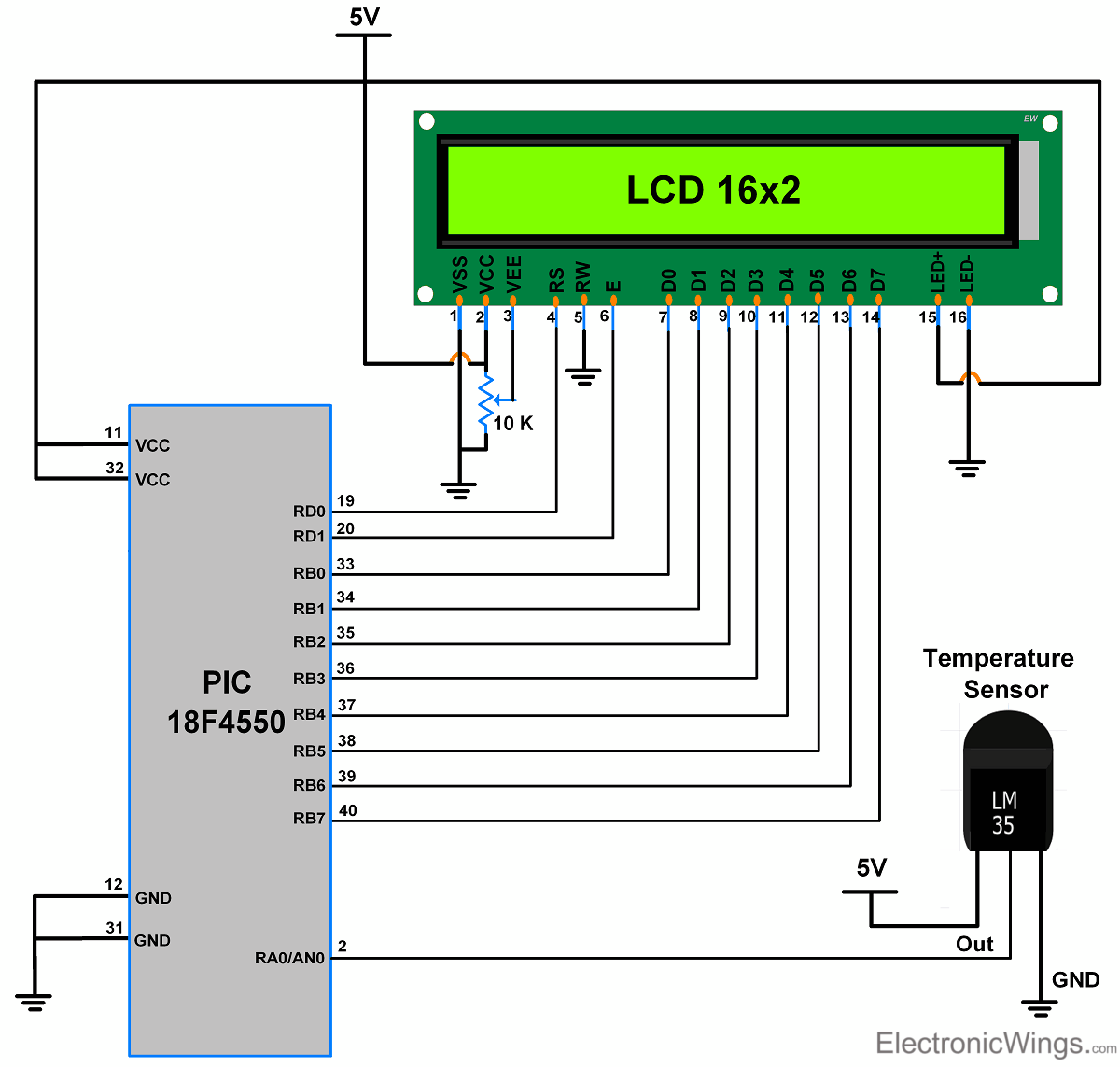
Read Temperature using LM35 and Display on LCD16x2 using PIC18F4550
Let’s interface the LM35 temperature sensor with PIC18F4550 and display the surrounding temperature on the LCD16x2 display.
LM35 gives output in the analog form so connect out pin of a sensor to one of the ADC channels of PIC18F4550.
LM35 Code for PIC18F4550
/*
 *LM-35 Temperature Sensor Interfacing with PIC18f4550
 *http://www.electronicwings.com
 */

#include <stdio.h>
#include <string.h>
#include <p18f4550.h>
#include "Configuration_Header_File.h"          /* Header File for Configuration bits */
#include "LCD_16x2_8-bit_Header_File.h"                 /* Header File for LCD Functions */
#include "PIC18F4550_ADC_Header_File.h"

void main()
{
    char Temperature[10];
    float celsius;
    int i;
    OSCCON=0x72;                /* set internal Oscillator frequency to 8 MHz*/
    LCD_Init();                 /* initialize 16x2 LCD*/
    ADC_Init();                 /* initialize 10-bit ADC*/

    while(1)
    {
        LCD_String_xy(0,0,"Temperature");
       /* convert digital value to temperature */
        celsius = (ADC_Read(0)*4.88);
        celsius = (celsius/10.00);
       /*convert integer value to ASCII string */
        sprintf(Temperature,"%d%cC  ",(int)celsius,0xdf);
        LCD_String_xy(1,0,Temperature);                /* send string data for printing */
        MSdelay(1000);
        memset(Temperature,0,10);
    }
}
Video of Temperature Measurement using PIC18F4550
Components Used
Powered by
LM35 is a sensor which is used to measure temperature. It provides electrical output proportional to the temperature (in Celsius).
926-LM35DZ/NOPB

Downloads
Comments4
Join the discussion — share a question or tip.
- HI
how to read negative temperature values?
- BL
celsius = (ADC_Read(0)*4.88); celsius = (celsius/10.00); Can u explain this step?
- KI
1st line-This PIC has 10bit ADC so 2^10 is 1024 steps, then our maximum input is 5V right, So 5/1024 is 4.88mV which is 4.88mV per step, ADC_Read(0) gives the step count ,So multiplying step count with 4.88mV, You will get the input voltage in terms of mV , 2nd line-As LM35 gives 10mV per degree celcius so we are dividing the measured voltage in mV by 10mV to get the temperature in degree celcius.