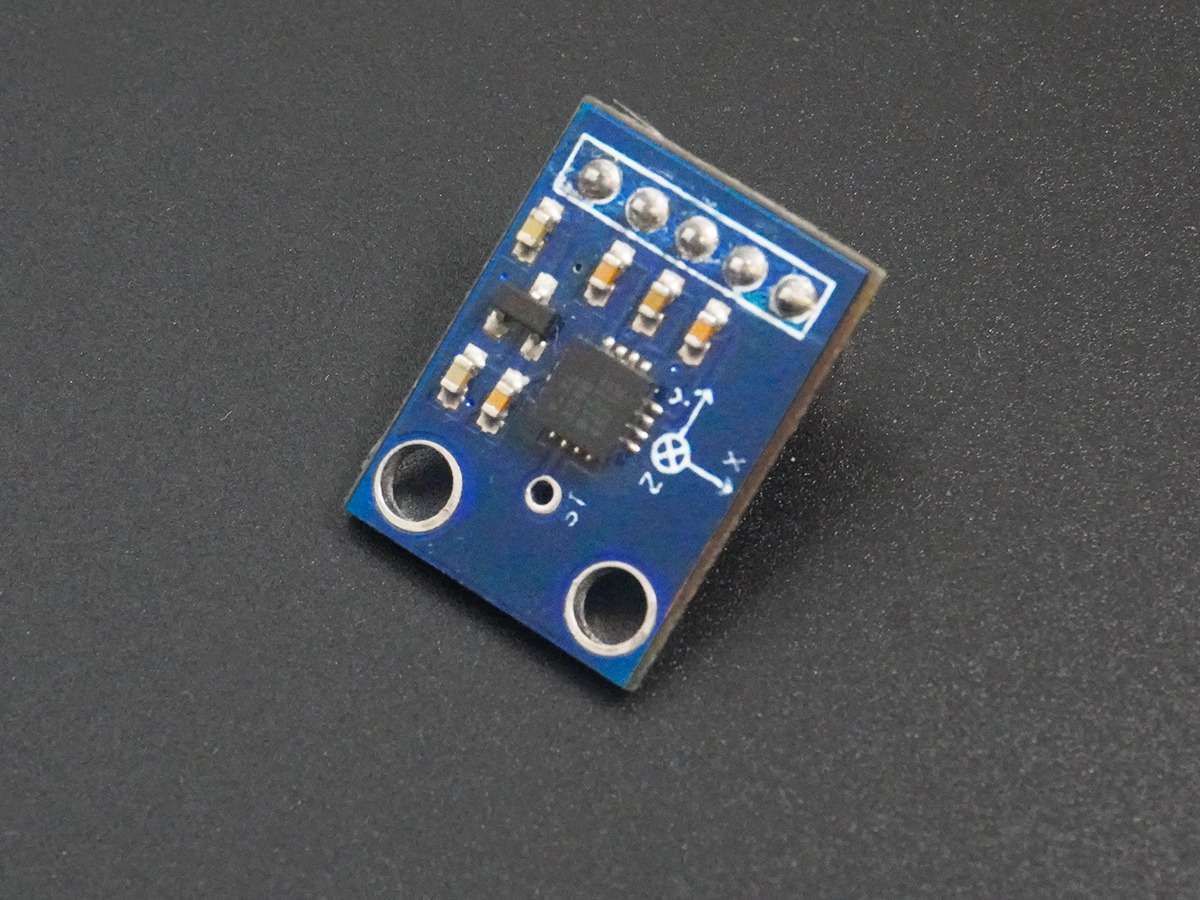
Accelerometer ADXL335 Interfacing with PIC18F4550
The Accelerometer ADXL335 sensor measures the acceleration of gravity. It is used to measure the angle of tilt or inclination in application systems such as in mobile devices, gaming applications, Laptops, digital cameras, Airplanes etc.
Introduction
The accelerometer is an electromechanical device that measures the force of acceleration due to gravity in the g unit.
It can be used for tilt sensing applications (Example: In mobile phones, gaming applications, etc).
The ADXL335 measures acceleration along X, Y, and Z axes.
It gives analog voltage output proportional to the acceleration along the 3 axes.
These voltages can be converted to a digital signal using ADC and then processed by the microcontroller to find out the tilt.
For more information about the ADXL335 accelerometer and how to use it, refer to the topic ADXL335 Accelerometer Module in the sensors and modules section.
Interfacing Accelerometer ADXL335 with PIC18f4550
- As the module has an analog output. we will measure it using ADC channels of PIC18F4550.
- PIC18F4550 has ADC pins on its PORT A.
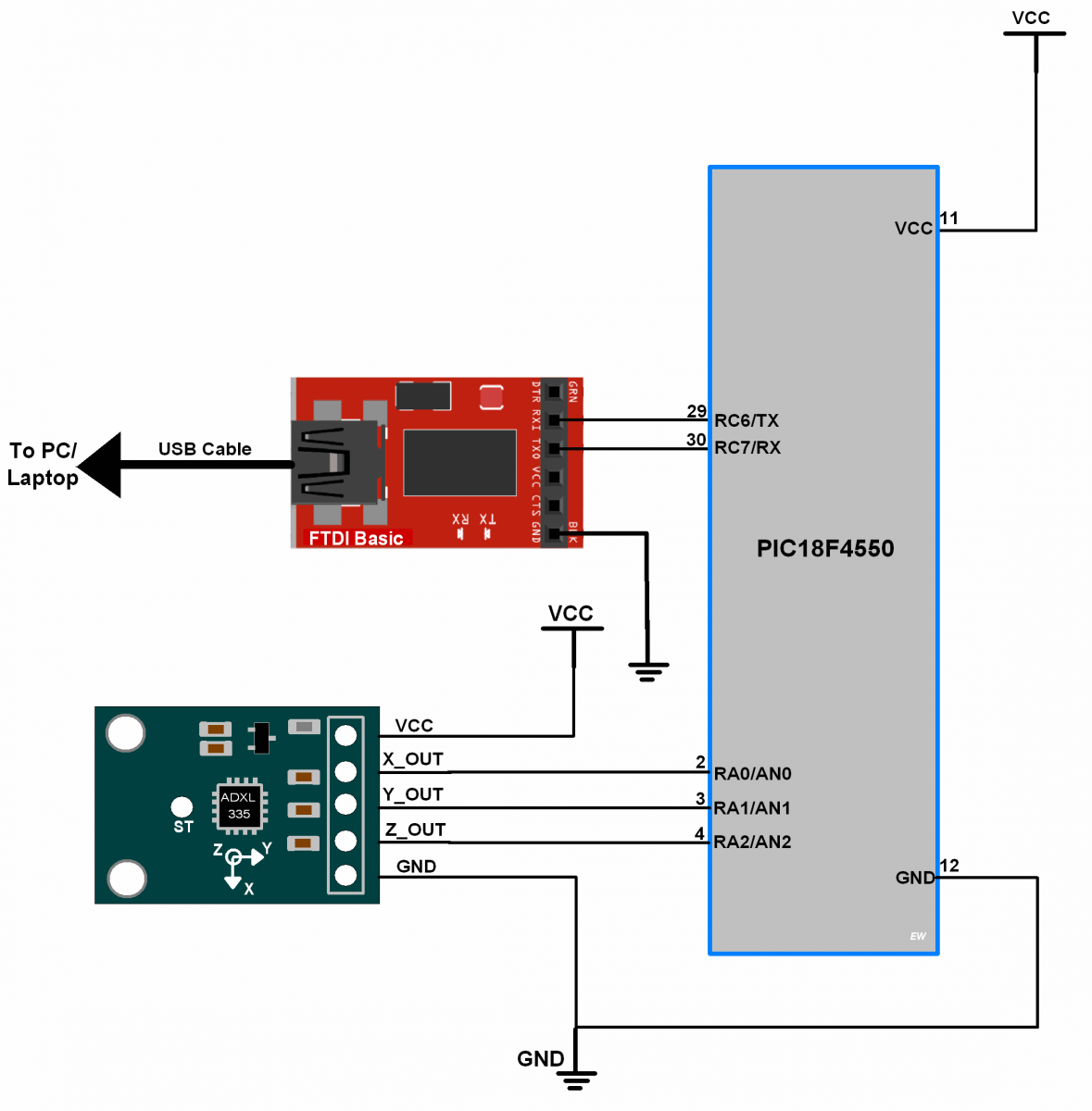
- So, we will connect X, Y, and Z analog output of the ADXL335 module to three input ADC channels of PIC18F4550, say channel0, channel1, channel2 respectively.
- And after reading the ADC values of X, Y, and Z from the module, we will send it to the PC/Laptop over USART.
Connection Diagram ADXL335 Accelerometer with PIC18F4550
ADXL3356 Code for X Y Z axis using PIC18F4550
/*
 * Accelerometer interface with PIC18F4550
 * http://www.electronicwings.com
 *
 */

#include <pic18f4550.h>
#include "Configuration_header_file.h"
#include <stdio.h>
#include <stdlib.h>
#include "ADC_Header_File.h"
#include "USART_Header_File.h"


int main()
{
    char Buffer[10];
    OSCCON = 0x72;         /* Internal Oscillator frequency 8 MHz */
    ADC_Init();            /* Initialize ADC */
    USART_Init(9600);      /* Initialize USART with 9600 baud rate */
    while(1)
    {                      /* Read ADC channel 0,1,2 & send values over USART */
        sprintf(Buffer,"X = %d ",ADC_Read(0));
        USART_SendString(Buffer);
        USART_TxChar(0x09);
        MSdelay(10);
        sprintf(Buffer,"Y = %d ",ADC_Read(1));
        USART_SendString(Buffer);
        USART_TxChar(0x09);
        MSdelay(10);
        sprintf(Buffer,"Z = %d ",ADC_Read(2));
        USART_SendString(Buffer);
        USART_TxChar(0x0A);
        USART_TxChar(0x0D);
        MSdelay(10);
    }
}
Output Window
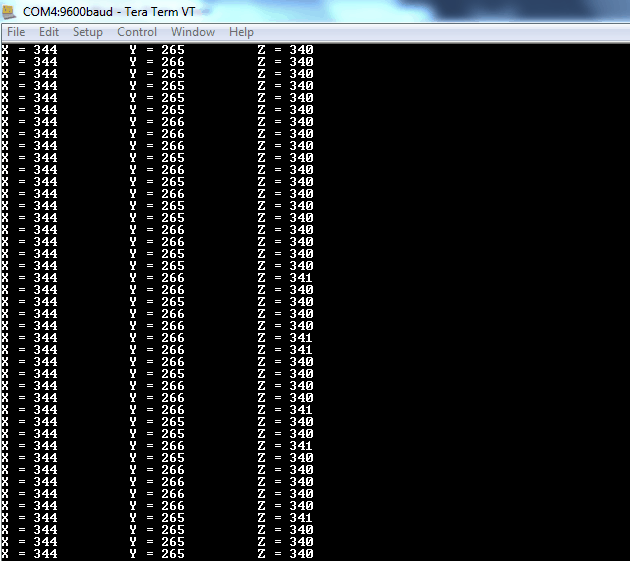
On the PC/Laptop’s serial terminal application, we can see directly X, Y, and Z’s ADC values as shown in the below figure. For testing tilt the module in X and Y direction and observe the changes in X and Y values.
- If we tilt the module on X-axis, we get variations in X and Z values whereas Y will remain nearly constant.
- If we tilt the module on Y-axis, we get variations in Y and Z values whereas Y will remain nearly constant.
Output window of ADC values.
The angle of Tilt & Rotation
Also, we can calculate Acceleration in g unit, Tilt & Rotation angles using ADXL335. Refer the topic ADXL335 Accelerometer Module in the sensors and modules section.
ADXL3356 Code for Tilt & Rotation angles using PIC18F4550
/*
 * Accelerometer interface with PIC18F4550
 * http://www.electronicwings.com
 *
 */

#include <pic18f4550.h>
#include "Configuration_header_file.h"
#include <stdio.h>
#include <stdlib.h>
#include <math.h>									/* Include math header file */
#include "ADC_Header_File.h"
#include "USART_Header_File.h"

/*This count Provide delay of 1 ms for 8MHz Frequency */
void MSdelay(unsigned int val)
{
     unsigned int i,j;
        for(i=0;i<=val;i++)
            for(j=0;j<165;j++);
}
void SendSerial(const char* str, double value, char unit)
{
	char buffer[10];
	sprintf(buffer,"%.2f",value);
	USART_SendString(str);	/* Send Name string */
	USART_SendString(buffer);/* Send value */
	USART_TxChar(unit);	/* Send unit char */
	USART_TxChar('\t');	/* Send tab char */
	MSdelay(10);
}

int main(void)
{
	int ADC_X_VALUE,ADC_Y_VALUE,ADC_Z_VALUE;
	double Axout,Ayout,Azout,theta, psy, phi,roll,pitch,yaw;
	OSCCON = 0x72;		/* Internal Osc. frequency 8 MHz */
	USART_Init(9600);	/* Initialize USART with 9600 Baud rate */
	ADC_Init();		/* Initialize ADC */

	while(1)
	{
		ADC_X_VALUE = ADC_Read(0);/* Read X, Y, Z axis ADC value */
		ADC_Y_VALUE = ADC_Read(1);
		ADC_Z_VALUE = ADC_Read(2);

		/* Convert values in g unit */
		Axout = (((double)(ADC_X_VALUE*5)/1.024)-1700.0)/330.0;
		Ayout = (((double)(ADC_Y_VALUE*5)/1.024)-1700.0)/330.0;
		Azout = (((double)(ADC_Z_VALUE*5)/1.024)-1700.0)/330.0;

		/* Calculate angles */
		theta = atan(Axout/(sqrt((pow (Ayout,2.0))+(pow (Azout,2.0)))))*57.29577951;
		psy =  atan(Ayout/(sqrt((pow (Axout,2.0))+(pow (Azout,2.0)))))*57.29577951;
		phi =  atan((sqrt((pow (Ayout,2.0))+(pow (Axout,2.0))))/Azout)*57.29577951;

		roll = (atan2(Ayout,Azout))*57.29577951+180;
		pitch =  (atan2(Azout,Axout))*57.29577951+180;
		yaw =  (atan2(Axout,Ayout))*57.29577951+180;

		SendSerial("Axout = ",Axout,'g');/* Send All value serially */
		SendSerial("Ayout = ",Ayout,'g');
		SendSerial("Azout = ",Azout,'g');

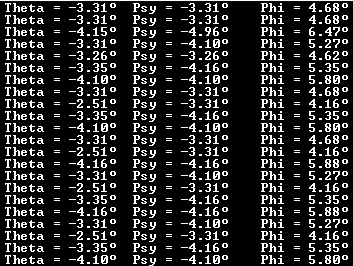
		SendSerial("Theta = ",theta,248);
		SendSerial("Psy = ",psy,248);
		SendSerial("Phi = ",phi,248);

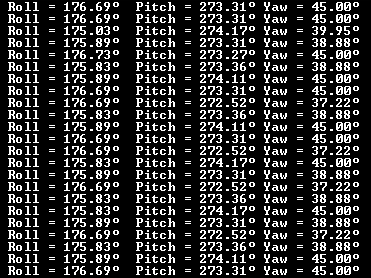
		SendSerial("Roll = ",roll,248);
		SendSerial("Pitch = ",pitch,248);
		SendSerial("Yaw = ",yaw,248);

		USART_SendString("\r\n");
	}
}
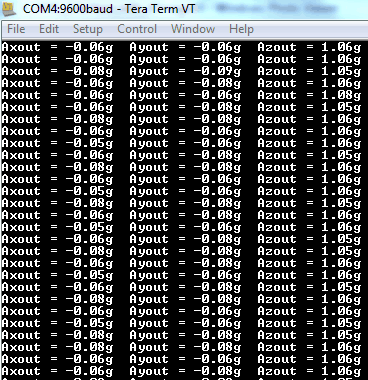
Output Window
Acceleration in g unit
Angle of Inclination
Angle of Rotation
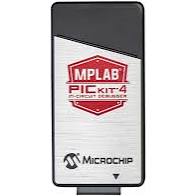
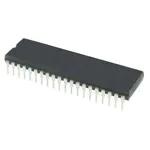
Components Used
Powered by
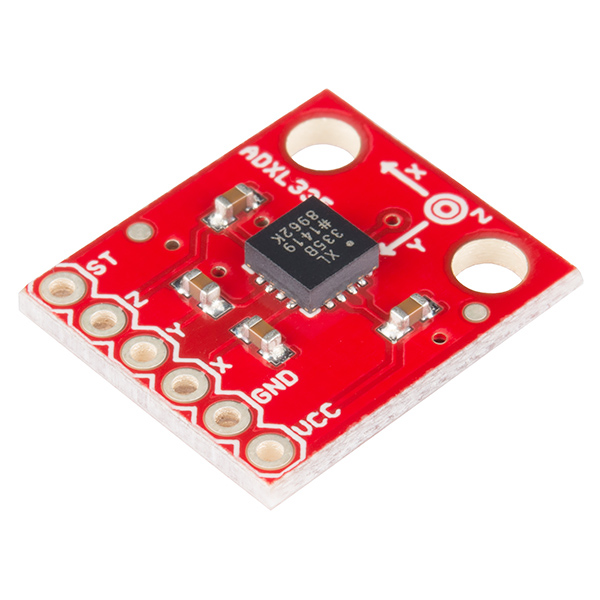
Accelerometer ADXL335 sensor measures acceleration of gravity. It is used to measure the angle of tilt or inclination in application systems such as in mobile devices, gaming applications, laptops, digital cameras, aeroplanes etc.
474-SEN-09269
Downloads
Comments3
Join the discussion — share a question or tip.
- RA
I have questions about angle conversion formulas. In the guideline tilt angles (+-90) clearly described. But there is no information on full angle range. In different forums I found two different formulas. ...atan2(Ayout,Azout))... ...atan2(-Ayout,-Azout))... whats the difference ?