Ultrasonic Sensor HC-SR04 Interfacing with Arduino Uno
Ultrasonic Sensor HC-SR04 interfaced with Arduino for finding a distance to an object. It can operate in the range of 2cm-400cm.
Overview of Ultrasonic Sensor
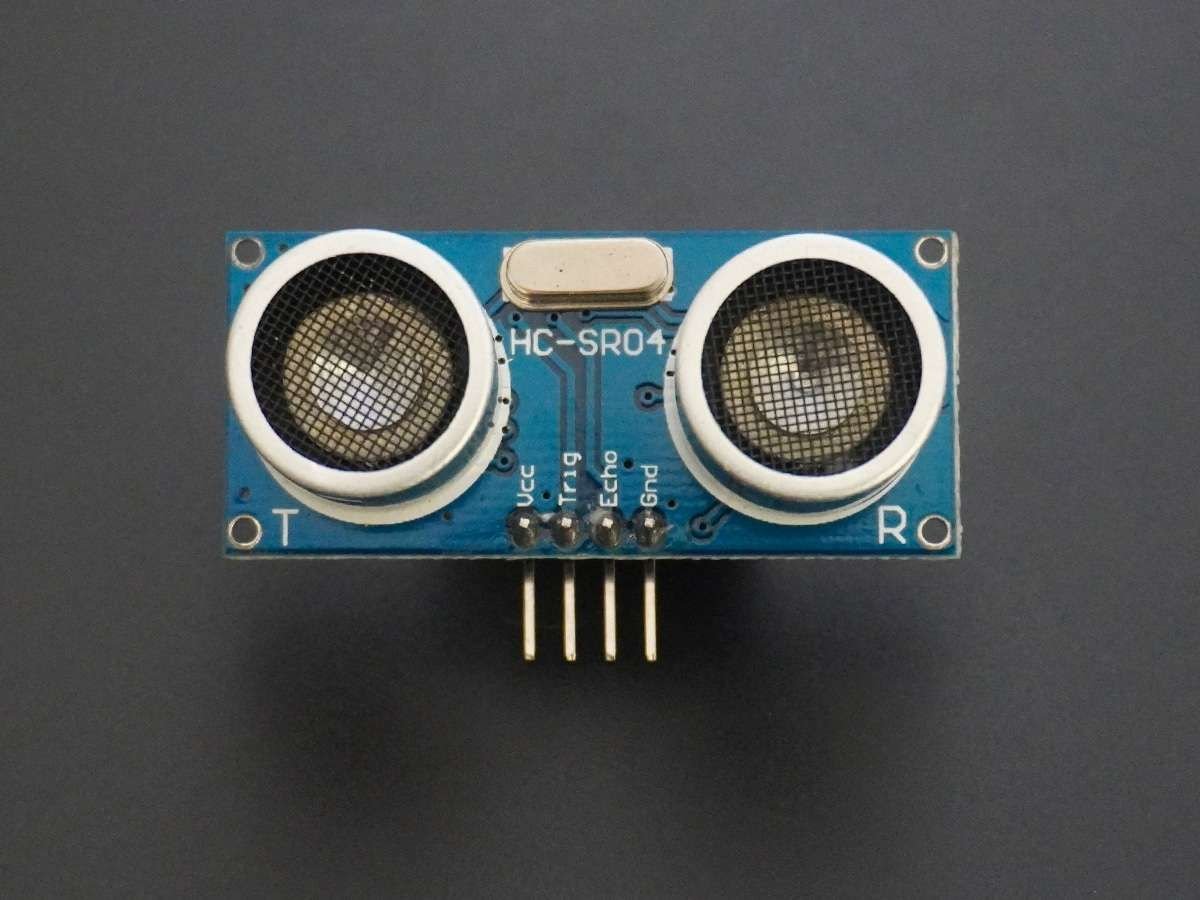
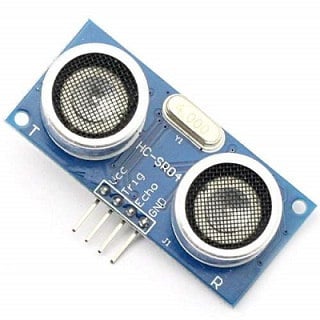
- Ultrasonic Module HC-SR04 works on the principle of SONAR and RADAR system. It can be used to determine the distance of an object in the range of 2 cm – 400 cm.
- The module has only 4 pins,
- VCC
- GND
- Trig
- Echo
- When a pulse of 10µsec or more is given to the Trig pin, 8 pulses of 40 kHz are generated. After this, the Echo pin is made high by the control circuit in the module. Echo pin remains high till it gets echo signal of the transmitted pulses back.
- The time for which the echo pin remains high, i.e. the width of the Echo pin gives the time taken for generated ultrasonic sound to travel to the object and back.
- Using this time and the speed of sound in air, we can find the distance of the object using a simple formula for distance using speed and time.
For more information about ultrasonic module HC-SR04 and how to use it, refer the topic Ultrasonic Module HC-SR04 in the sensors and modules section.
Application
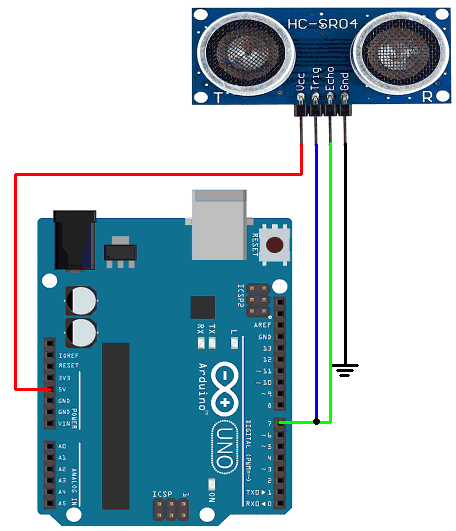
Let’s design an application in which we will find a distance to an object by interfacing ultrasonic module HC-SR04 with Arduino and display the distance on the Serial monitor.
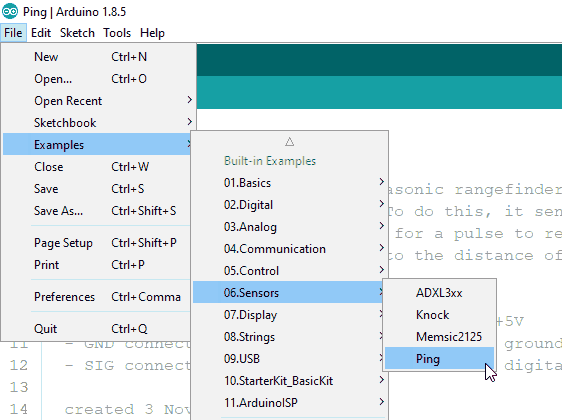
In this application, we are using Ping example that comes with Arduino in the Sensors library.
You can find this example in –
Connection Diagram of Ultrasonic Sensor HC-SR04 with Arduino
Distance Measurement Code using Ultrasonic Sensor HC-SR04 and Arduino Uno
/*
  Ping))) Sensor

  This sketch reads a PING))) ultrasonic rangefinder and returns the distance
  to the closest object in range. To do this, it sends a pulse to the sensor to
  initiate a reading, then listens for a pulse to return. The length of the
  returning pulse is proportional to the distance of the object from the sensor.

  The circuit:
	- +V connection of the PING))) attached to +5V
	- GND connection of the PING))) attached to ground
	- SIG connection of the PING))) attached to digital pin 7

  created 3 Nov 2008
  by David A. Mellis
  modified 30 Aug 2011
  by Tom Igoe

  This example code is in the public domain.

  http://www.arduino.cc/en/Tutorial/Ping
*/

// this constant won't change. It's the pin number of the sensor's output:
const int pingPin = 7;

void setup() {
  // initialize serial communication:
  Serial.begin(9600);
}

void loop() {
  // establish variables for duration of the ping, and the distance result
  // in inches and centimeters:
  long duration, inches, cm;

  // The PING))) is triggered by a HIGH pulse of 2 or more microseconds.
  // Give a short LOW pulse beforehand to ensure a clean HIGH pulse:
  pinMode(pingPin, OUTPUT);
  digitalWrite(pingPin, LOW);
  delayMicroseconds(2);
  digitalWrite(pingPin, HIGH);
  delayMicroseconds(5);
  digitalWrite(pingPin, LOW);

  // The same pin is used to read the signal from the PING))): a HIGH pulse
  // whose duration is the time (in microseconds) from the sending of the ping
  // to the reception of its echo off of an object.
  pinMode(pingPin, INPUT);
  duration = pulseIn(pingPin, HIGH);

  // convert the time into a distance
  inches = microsecondsToInches(duration);
  cm = microsecondsToCentimeters(duration);

  Serial.print(inches);
  Serial.print("in, ");
  Serial.print(cm);
  Serial.print("cm");
  Serial.println();

  delay(100);
}

long microsecondsToInches(long microseconds) {
  // According to Parallax's datasheet for the PING))), there are 73.746
  // microseconds per inch (i.e. sound travels at 1130 feet per second).
  // This gives the distance travelled by the ping, outbound and return,
  // so we divide by 2 to get the distance of the obstacle.
  // See: http://www.parallax.com/dl/docs/prod/acc/28015-PING-v1.3.pdf
  return microseconds / 74 / 2;
}

long microsecondsToCentimeters(long microseconds) {
  // The speed of sound is 340 m/s or 29 microseconds per centimeter.
  // The ping travels out and back, so to find the distance of the object we
  // take half of the distance travelled.
  return microseconds / 29 / 2;
}
Function Used
pulseIn()Reads a pulse (either HIGH or LOW) on a pin.
For example, if value is HIGH, pulseIn() waits for the pin to go from LOW to HIGH, starts timing, then waits for the pin to go LOW and stops timing. Returns the length of the pulse in microseconds or returns 0 if no complete pulse was received within the timeout.
E.g.
pulseIn(7, HIGH);
Video of Distance Measurement using Ultrasonic Sensor HC-SR04 and Arduino Uno
Components Used
Powered by
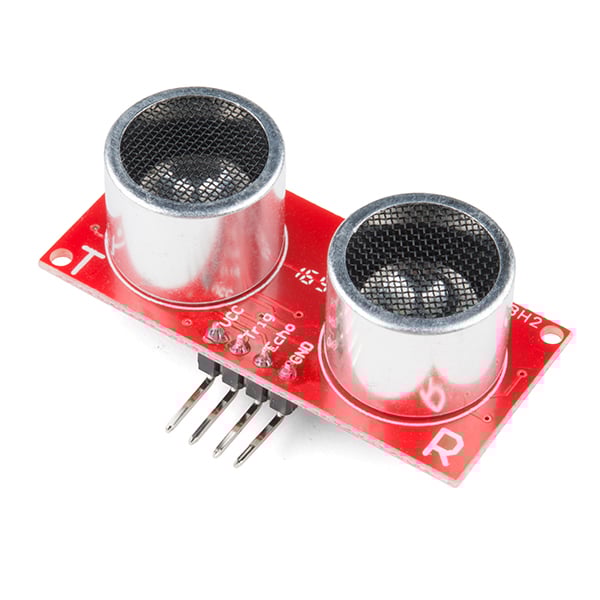
Ultrasonic module HC-SR04 is generally used for finding distance value and obstacle detection. It can operate in the range 2cm-400cm.
474-SEN-15569
Comments6
Join the discussion — share a question or tip.
- SU
Hai Sir/Madam, Thanks for your tutorial. I have Interfaced Ultrasonic with Arduino, Now I want to interface three more sensors. Is ultrasonic sensor require only PWM pins or can we use any other (Digital or Analog) pins. Thanks in Advance. I have purchased Ultrasonic sensor at http://bigbelectronics.in/product.php?product=ultrasonic-range-finder-module-sensor-distance-measuring-transducer
- MO
yes you can use any digital pin for ultrasonic sensor. PWM pins are even advised for applications with DC current motors
- PA
Hai Sir, As we know ultrasonic sensor range is aout 2cm to 400cm. But I want to measure the distance which is greater than 400cm. Is there any possible way for increasing the range of HC-SR04 Circuit or Is there any sensor which measuring range is greater than 400cm. I'm not getting the stable values around the range of 400cm with HC05 Sensor. Thanks in Advance. http://uitechies.co.in/BBBcircuits/product.php?product=ultrasonic-range-finder-module-sensor-distance-measuring-transducer
- TA
Hai Sir, I have interfaced Ultrasonic with Arduino. Now, I want to ON the LED when the distance is less than 15cm. I have written the code as if(distance < 15) { digitalWrite(led,HIGH); } else { digitalWrite(led,LOW); } But the LED was not HIGH when the distance is less than 15 I have no idea why the LED was not HIGH, please help me. Thanks in Advance. I have purchased the ultrasonic sensor at http://uitechies.co.in/BBBcircuits/product.php?product=ultrasonic-range-finder-module-sensor-distance-measuring-transducer
- MO
put all your code there we are going to see where is the matter