HC-05 Bluetooth Module Interfacing with 8051
Bluetooth is a wireless communication protocol used to communicate over short distances. Here we design a smartphone-controlled LED using the HC-05 Bluetooth module.
HC-05 Bluetooth Module
HC-05 is a Bluetooth device used for wireless communication. It works on serial communication (UART).
- It is a 6-pin module.
- The device can be used in 2 modes; data mode and command mode.
- The data mode is used for data transfer between devices whereas the command mode is used for changing the settings of the Bluetooth module.
- AT commands are required in command mode.
- The module works on 5V or 3.3V. It has an onboard 5V to 3.3V regulator.
- As the HC-05 Bluetooth module has a 3.3 V level for RX/TX and the microcontroller can detect 3.3 V level, so, no need to shift the transmit level of the HC-05 module. But we need to shift the transmit voltage level from the microcontroller to RX of the HC-05 module.
For more information about the HC-05 Bluetooth module and how to use it, refer to the topic Bluetooth module HC-05 in the sensors and modules section.
For information on UART in 8051 and how to use it, refer to the topic on UART in 8051 in the 8051 inside section.
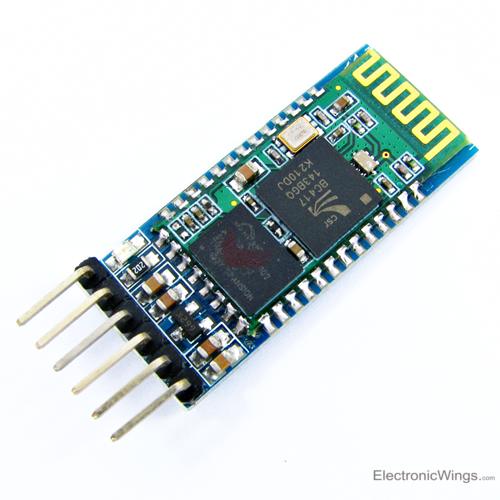
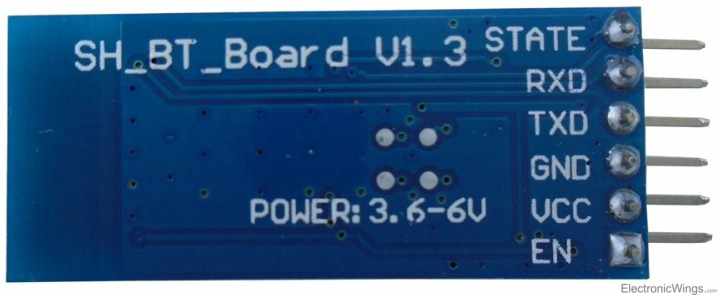
HC-05 Bluetooth Connection with 8051
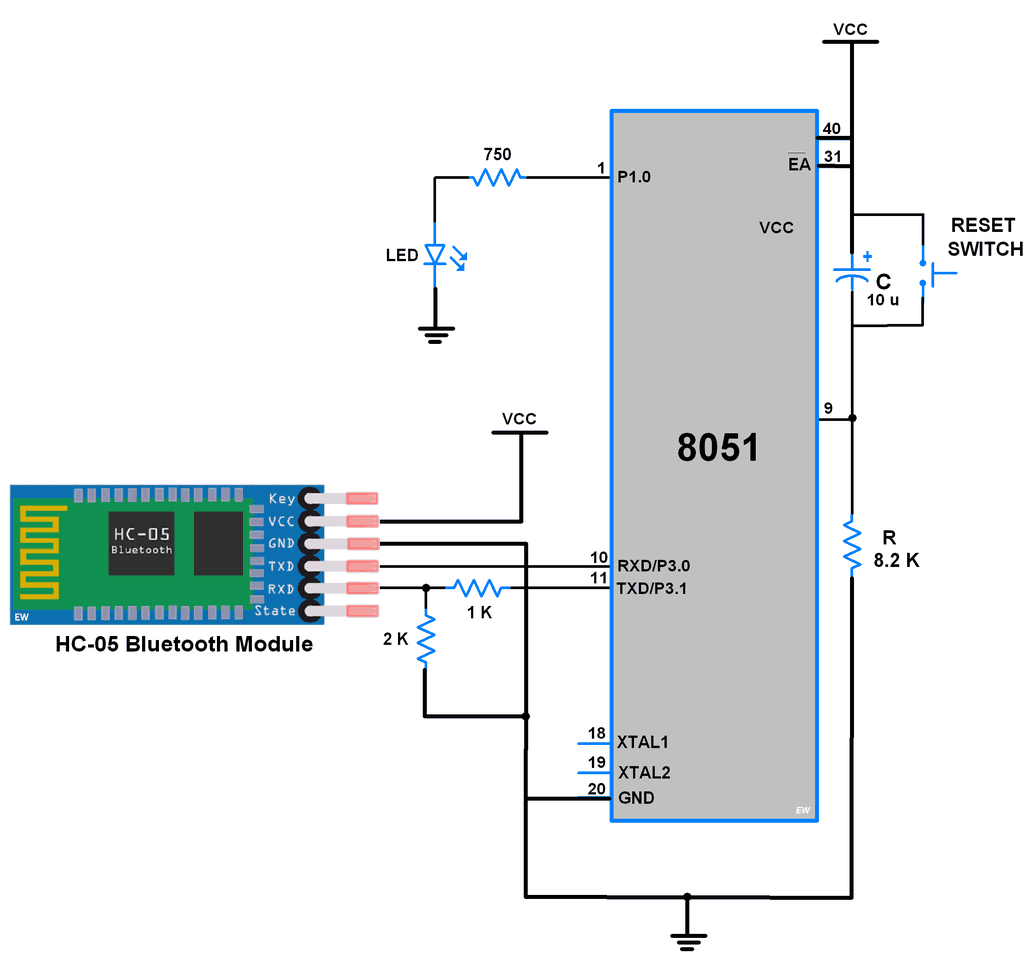
Example
Here let’s develop a small application in which we can control LED ON-OFF through smartphones.
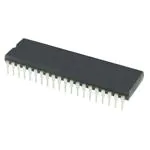
This is done by interfacing 8051 with the HC-05 Bluetooth module. Data from HC-05 is received/ transmitted serially by 8051.
In this application when 1 is sent from the smartphone, LED will turn ON and if 2 is sent LED will get Turned OFF. If received data is other than 1 or 2, it will return a message to mobile that select the proper option.
HC-05 8051 Programmig
- Initialize 8051 UART communication.
- Receive data from the HC-05 Bluetooth module.
- Check whether it is ‘1’ or ‘2’ and take respective controlling action on the LED.
/*
 *HC-05 Bluetooth interfacing with 8051 to control LED via smartphone
 *http://www.electronicwings.com
 */

#include <reg51.h>
#include "UART_H_file.h"	/* Include UART library */

sbit LED=P1^0;

void main()
{
	char Data_in;
	UART_Init();		/* Initialize UART */
	P1 = 0;			/* Clear port initially */
	LED = 0;		/* Initially LED turn OFF */
	while(1)
	{
		Data_in = UART_RxChar();  /* Receive char serially */
		if(Data_in == '1')
		{
			LED = 1;/* Turn ON LED */
			UART_SendString("LED_ON");  /* Send status of LED*/
		}
		else if(Data_in == '2')
		{
			LED = 0;/* Turn OFF LED */
			UART_SendString("LED_OFF");  /* Send status of LED*/

		}
		else
			UART_SendString("Select proper option");

	}
}
Video Of LED Control using HC-05 Bluetooth and 8051
Components Used
Powered by
Bluetooth is a wireless communication protocol used to communicate over short distances. It is used for low power, low cost wireless data transmission applications over 2.4 – 2.485 GHz (unlicensed) frequency band.
713-113020008
Downloads
Comments10
Join the discussion — share a question or tip.
- SO
thanks
- CO
Hello....what a great help for my kind of beginners . great post .I want to go a bit further ,what all i have to do if i want to toggle the led...i mean the led just on and the off just to send a command...please let me know
- SH
Hi Sir i am tried with your given code it was working good and i tried to interface the and control the light and fan control using home automation with low price throw mobile to switching the lights with relay operation but relay board operates the reverse i change the code the led declaration was change in LED 1 and also modified if condition is it reliable for real time application in home automation ? http://bigbelectronics.in/product.php?product=bluetooth-transceiver-module-ttl-outputs-hc05
- AN
sir ,how I can download libraries for 8051 like UART or Bluetooth and lcd.
- NA
Which Bluetooth terminal apps is to be used plz inform me
- NA
I've tried hc05 bluetooth module interfacing with 89c51 it's working well but when I send 1, LED on, Led off are not displayed on the phone. Which Bluetooth terminal is to used ?
- SR
hi can i know how are u dumping the code to the ic