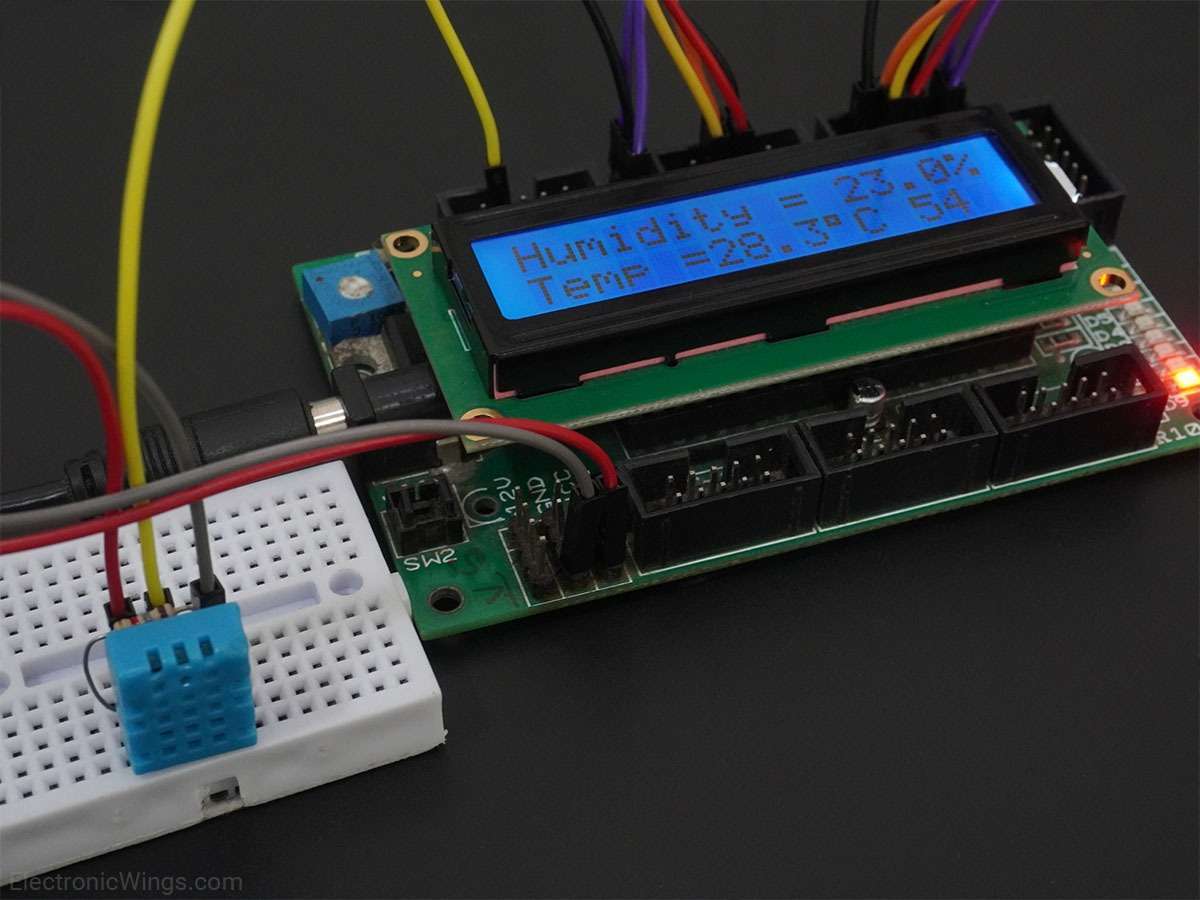
DHT11 Sensor Interfacing with 8051.
Interface single wire DHT11 sensor with 8051 and read the value of Temperature and Humidity from DHT11. Display these Temperature and Humidity values on the LCD 16x2.
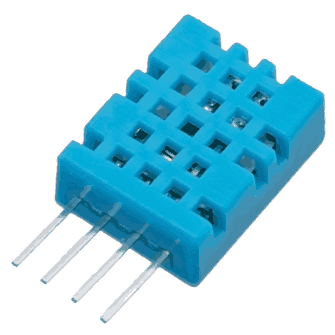
DHT11 Sensor
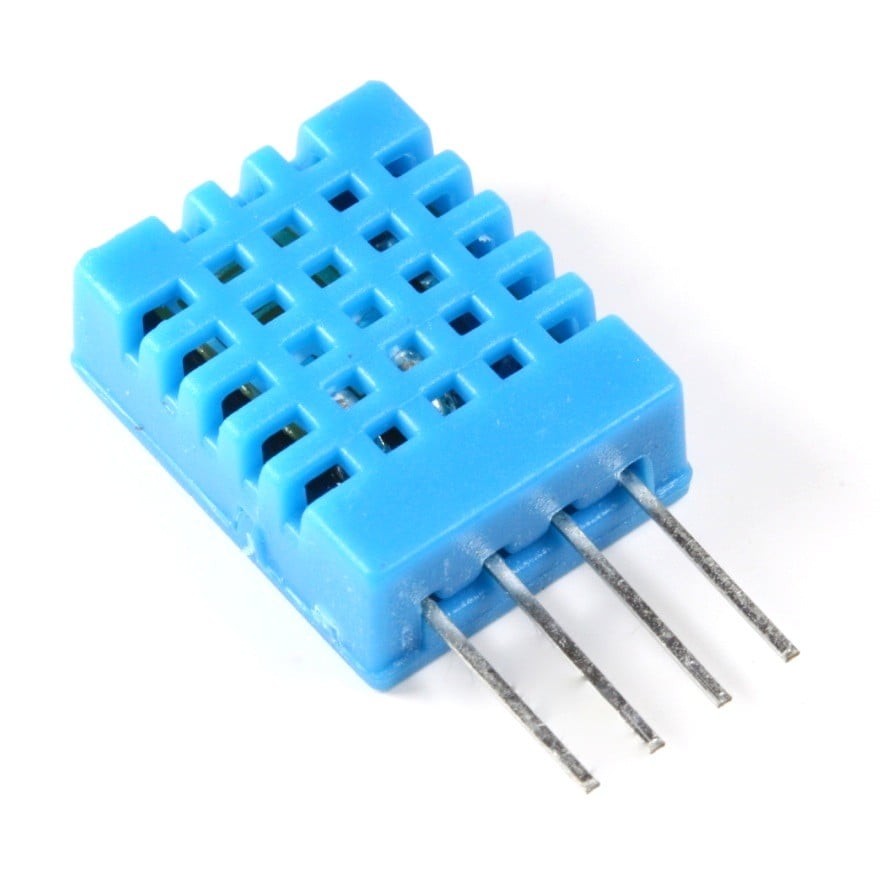
DHT11 is a single-wire digital humidity and temperature sensor, which provides humidity and temperature values serially.
It can measure the relative humidity in percentage (20 to 90% RH) and temperature in degree Celsius in the range of 0 to 50°C.
It has 4 pins of which 2 pins are used for supply, 1 is not used and the last one is used for data.
The data is the only pin used for communication. Pulses of different TON and TOFF are decoded as logic 1 or logic 0 or start pulse or end of the frame.
For more information about the DHT11 sensor and how to use it, refer to the topic DHT11 sensor in the sensors and modules topic.
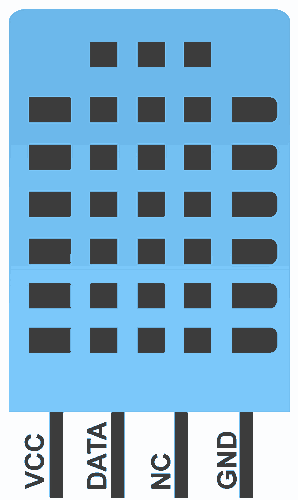
Connection Of DHT11 Sensor with 8051
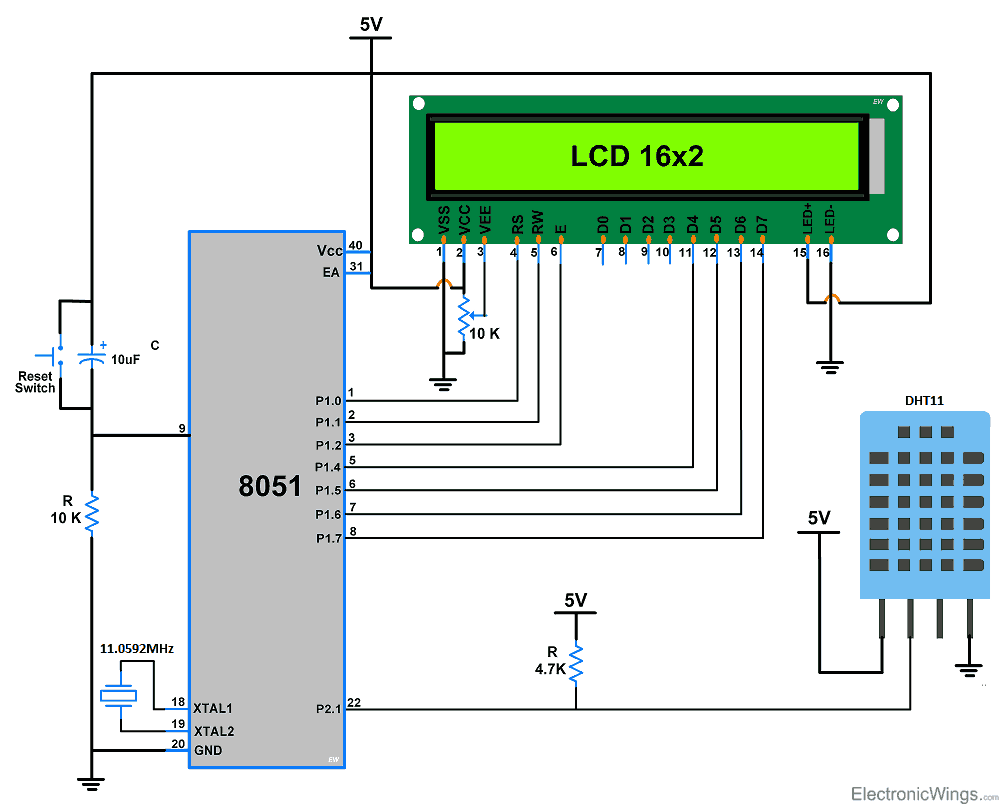
- The above circuit diagram shows the interfacing of 8051 with the DHT11 sensor.
- In that, a DHT11 sensor is connected to P2.1(Pin No 22) of the microcontroller.
DHT11 Sensor 8051 Programming Steps
- First, initialize the LCD16x2_4bit.h library.
- Define pin no. to interface the DHT11 sensor, in our program we define P2.1 (Pin no.22)
- Send the start pulse to the DHT11 sensor by making low to high on the data pin.
- Receive the response pulse from the DHT11 sensor.
- After receiving the response, receive 40-bit data serially from the DHT11 sensor.
- Display this received data on LCD16x2 along with the error indication.
DHT11 Sensor 8051 Code
/*
 * DHT11 Interfacing with 8051
 * http://www.electronicwings.com
 */


#include<reg51.h>
#include<stdio.h>
#include<string.h>
#include <stdlib.h>
#include "LCD16x2_4bit.h"

sbit DHT11=P2^1;		/* Connect DHT11 output Pin to P2.1 Pin */
int I_RH,D_RH,I_Temp,D_Temp,CheckSum;

void timer_delay20ms()		/* Timer0 delay function */
{
	TMOD = 0x01;
	TH0 = 0xB8;		/* Load higher 8-bit in TH0 */
	TL0 = 0x0C;		/* Load lower 8-bit in TL0 */
	TR0 = 1;		/* Start timer0 */
	while(TF0 == 0);	/* Wait until timer0 flag set */
	TR0 = 0;		/* Stop timer0 */
	TF0 = 0;		/* Clear timer0 flag */
}

void timer_delay30us()		/* Timer0 delay function */
{
	TMOD = 0x01;		/* Timer0 mode1 (16-bit timer mode) */
	TH0 = 0xFF;		/* Load higher 8-bit in TH0 */
	TL0 = 0xF1;		/* Load lower 8-bit in TL0 */
	TR0 = 1;		/* Start timer0 */
	while(TF0 == 0);	/* Wait until timer0 flag set */
	TR0 = 0;		/* Stop timer0 */
	TF0 = 0;		/* Clear timer0 flag */
}

void Request()			/* Microcontroller send request */
{
	DHT11 = 0;		/* set to low pin */
	timer_delay20ms();	/* wait for 20ms */
	DHT11 = 1;		/* set to high pin */
}

void Response()			/* Receive response from DHT11 */
{
	while(DHT11==1);
	while(DHT11==0);
	while(DHT11==1);
}

int Receive_data()		/* Receive data */
{
	int q,c=0;
	for (q=0; q<8; q++)
	{
		while(DHT11==0);/* check received bit 0 or 1 */
		timer_delay30us();
		if(DHT11 == 1)	/* If high pulse is greater than 30ms */
		c = (c<<1)|(0x01);/* Then its logic HIGH */
		else		/* otherwise its logic LOW */
		c = (c<<1);
		while(DHT11==1);
	}
	return c;
}

void main()
{
	unsigned char dat[20];
	LCD_Init();		/* initialize LCD */

	while(1)
	{
		Request();	/* send start pulse */
		Response();	/* receive response */

		I_RH=Receive_data();	/* store first eight bit in I_RH */
		D_RH=Receive_data();	/* store next eight bit in D_RH */
		I_Temp=Receive_data();	/* store next eight bit in I_Temp */
		D_Temp=Receive_data();	/* store next eight bit in D_Temp */
		CheckSum=Receive_data();/* store next eight bit in CheckSum */

		if ((I_RH + D_RH + I_Temp + D_Temp) != CheckSum)
		{
			LCD_String_xy(0,0,"Error");
		}

		else
		{
			sprintf(dat,"Hum = %d.%d",I_RH,D_RH);
			LCD_String_xy(0,0,dat);
			sprintf(dat,"Tem = %d.%d",I_Temp,D_Temp);
			LCD_String_xy(1,0,dat);
			LCD_Char(0xDF);
			LCD_String("C");
			memset(dat,0,20);
			sprintf(dat,"%d   ",CheckSum);
			LCD_String_xy(1,13,dat);
		}
		delay(100);
	}
}
Video DHT11 Sensor Output
DHT11 Sensor Display Temperature and Humidity on LCD16x2 using 8051
Components Used
Powered by
 × 1
× 1DHT11 is a single wire digital humidity and temperature sensor, which gives relative humidity in percentage and temperature in degree Celsius.
485-386
Downloads
Comments10
Join the discussion — share a question or tip.
- ZH
Can I use AT89S52?
- PA
#include <reg51.h> // Includes 8051 microcontroller definitions // Function declarations void delay(unsigned int time); // Generates a delay (approximately 1ms per iteration) void lcd_cmd(unsigned char a); // Sends a command to the LCD void lcd_data(unsigned char b); // Sends data (characters) to the LCD void lcd_init(void); // Initializes the LCD void lcd_str(unsigned char *str); // Displays a string on the LCD void display_temperature(unsigned char temp); // Displays the temperature on the LCD void start_dht11(void); // Initializes communication with the DHT11 sensor unsigned char read_dht11_data(void); // Reads data from the DHT11 sensor // Pin definitions sbit rs = P2^0; // Register select pin for LCD sbit en = P2^1; // Enable pin for LCD sbit buz = P2^5; // Buzzer control pin sbit dht11_pin = P2^2; // Data pin for DHT11 sensor (connected to P2^2) sfr ldata = 0xB0; // Data port for LCD (Port 3) // Variables unsigned char temperature; // Variable to hold temperature value // Main function void main () { lcd_init(); // Initialize LCD buz = 0; // Ensure the buzzer is off at the start // Display welcome message lcd_str(" WELCOME "); lcd_cmd(0xc0); lcd_str(" TO PROJECT "); delay(200); lcd_cmd(0x01); lcd_cmd(0x81); // Display project title lcd_str(" TEMPERATURE "); lcd_cmd(0xc2); lcd_str(" ALERT "); delay(200); lcd_cmd(0x01); lcd_cmd(0x80); // Display temperature label lcd_str(" Temp ="); lcd_cmd(0x8b); lcd_data((char)223); // Display degree symbol lcd_str("C"); while (1) { // Read temperature from DHT11 start_dht11(); temperature = read_dht11_data(); // Display temperature lcd_cmd(0x89); display_temperature(temperature); // Check if temperature exceeds threshold of 35°C if (temperature > 35) { lcd_cmd(0xC0); lcd_str("HIGH TEMP ALERT!"); buz = 1; // Turn buzzer on } else { lcd_cmd(0xC0); lcd_str(" "); buz = 0; // Turn buzzer off } delay(1000); // 1-second delay before the next reading } } // Function to display temperature on LCD void display_temperature(unsigned char temp) { unsigned char d1, d2; d1 = temp / 10; // Tens digit d2 = temp % 10; // Ones digit lcd_data(d1 + 0x30); // Convert to ASCII and display tens digit lcd_data(d2 + 0x30); // Convert to ASCII and display ones digit } // Function to initialize DHT11 communication void start_dht11(void) { dht11_pin = 0; // Pull data pin low delay(18); // Wait for at least 18ms dht11_pin = 1; // Pull data pin high delay(20); // Wait for DHT11 to respond } // Function to read 40 bits from DHT11 and extract temperature unsigned char read_dht11_data(void) { unsigned char i, j, result = 0, dht11_data[5] = {0, 0, 0, 0, 0}; for (i = 0; i < 5; i++) { for (j = 0; j < 8; j++) { while (!dht11_pin); // Wait for DHT11 to pull data pin low delay(30); // Wait for 30us // If data pin is high, set the appropriate bit in the result if (dht11_pin == 1) dht11_data[i] |= (1 << (7 - j)); while (dht11_pin); // Wait for data pin to go low again } } // The temperature integral value is stored in dht11_data[2] return dht11_data[2]; // Return temperature byte } // LCD initialization function void lcd_init() { lcd_cmd(0x38); // Initialize LCD for 8-bit mode lcd_cmd(0x0C); // Display on, cursor off lcd_cmd(0x01); // Clear display lcd_cmd(0x80); // Set cursor to beginning of first line } // Updated delay function for 89S52 microcontroller void delay(unsigned int time) { unsigned int i, j; for (i = 0; i < time; i++) { for (j = 0; j < 1275; j++) // Approx 1ms delay for 89S52 { // Do nothing, just waste time } } } // Function to send command to LCD void lcd_cmd(unsigned char a) { rs = 0; // Set for command mode ldata = a; // Load command to data port en = 1; // Enable LCD delay(2); // Short delay en = 0; // Disable LCD delay(2); // Short delay } // Function to send data (characters) to LCD void lcd_data(unsigned char b) { rs = 1; // Set for data mode ldata = b; // Load data to data port en = 1; // Enable LCD delay(2); // Short delay en = 0; // Disable LCD delay(2); // Short delay } // Function to display string on LCD void lcd_str(unsigned char *str) { while (*str) // Loop until the end of the string { lcd_data(*str++); // Send each character to the LCD } } THIS IS MY CODE FOR TEMPERATURE ALERT........AND CREATED IT IN PROTEUS BUT THE TEMPERTAURE VALUE IS BLANK......PLS HELP
- UM
Hello sir the above code didn't work please send ma the proper code that works
- KU
Sir, sorry your project did not go well ... I tried but the results did not match the video! do you want to help me?
- VI
humidity data display as 2198 how to merge two integer and decimal value to dispaly only two digit data like in above video? pls. help
- VI
did you find the code for DHT22/AM2302 ? I'm also looking for , as per datasheet byte data collection is differ in DTH22 ! if you find the working code or sample please share ddiiggiiccoonn@gmail(.)com thanks