LM35 Interfacing with NodeMCU
LM35 is a sensor that is used to measure temperature. It provides an electrical output proportional to the temperature (in Celsius).
Overview of LM35
.jpg)
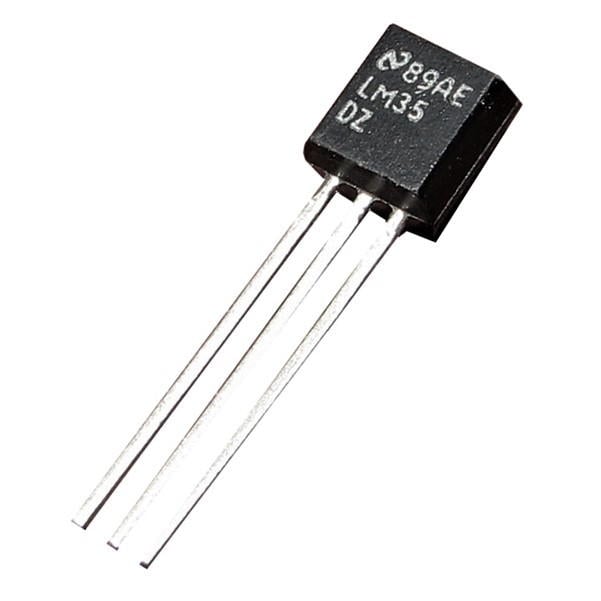
LM35 is a temperature sensor that can measure temperature in the range of -55°C to 150°C.
It is a 3-terminal device that provides an analog voltage proportional to the temperature. The higher the temperature, the higher is the output voltage.
The output analog voltage can be converted to digital form using ADC so that a microcontroller can process it.
For more information about LM35 and how to use it, refer to the topic LM35 Temperature Sensor in the sensors and modules section.
NodeMCU ADC can be used to measure analog voltage from LM35 and so temperature which is in proportion to the analog voltage. To know about ADC of NodeMCU refer to NodeMCU ADC with ESPlorer IDE and NodeMCU ADC with Arduino IDE.
Connection Diagram of LM35 With NodeMCU
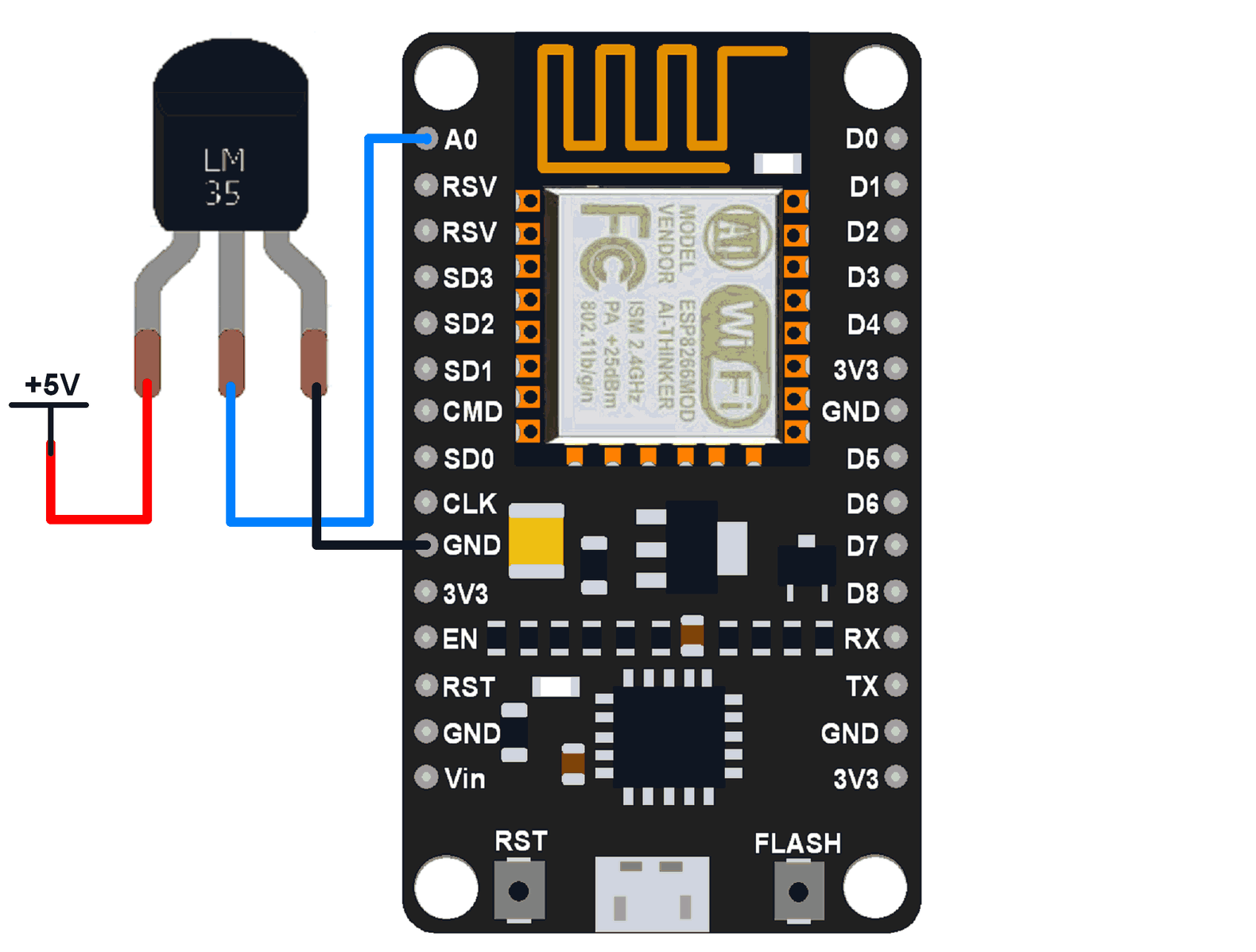
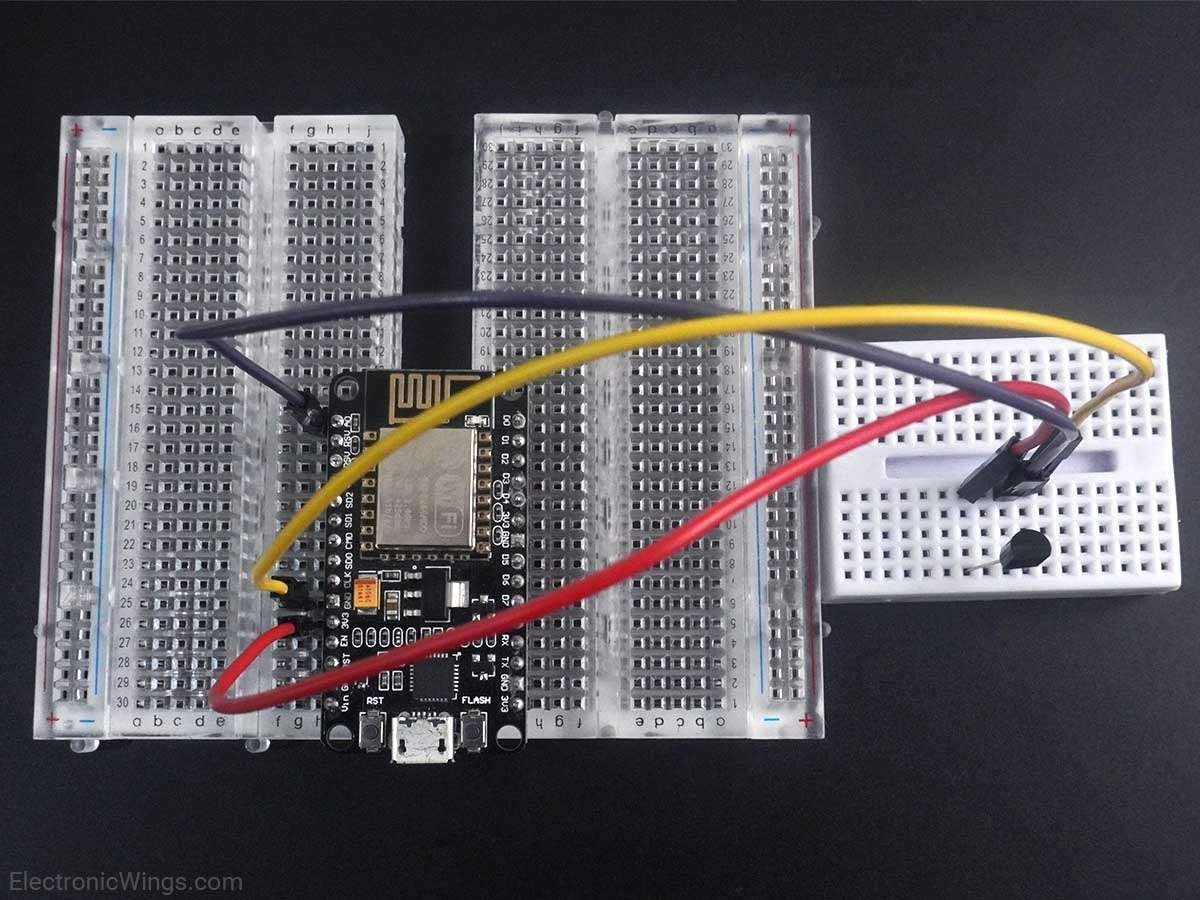
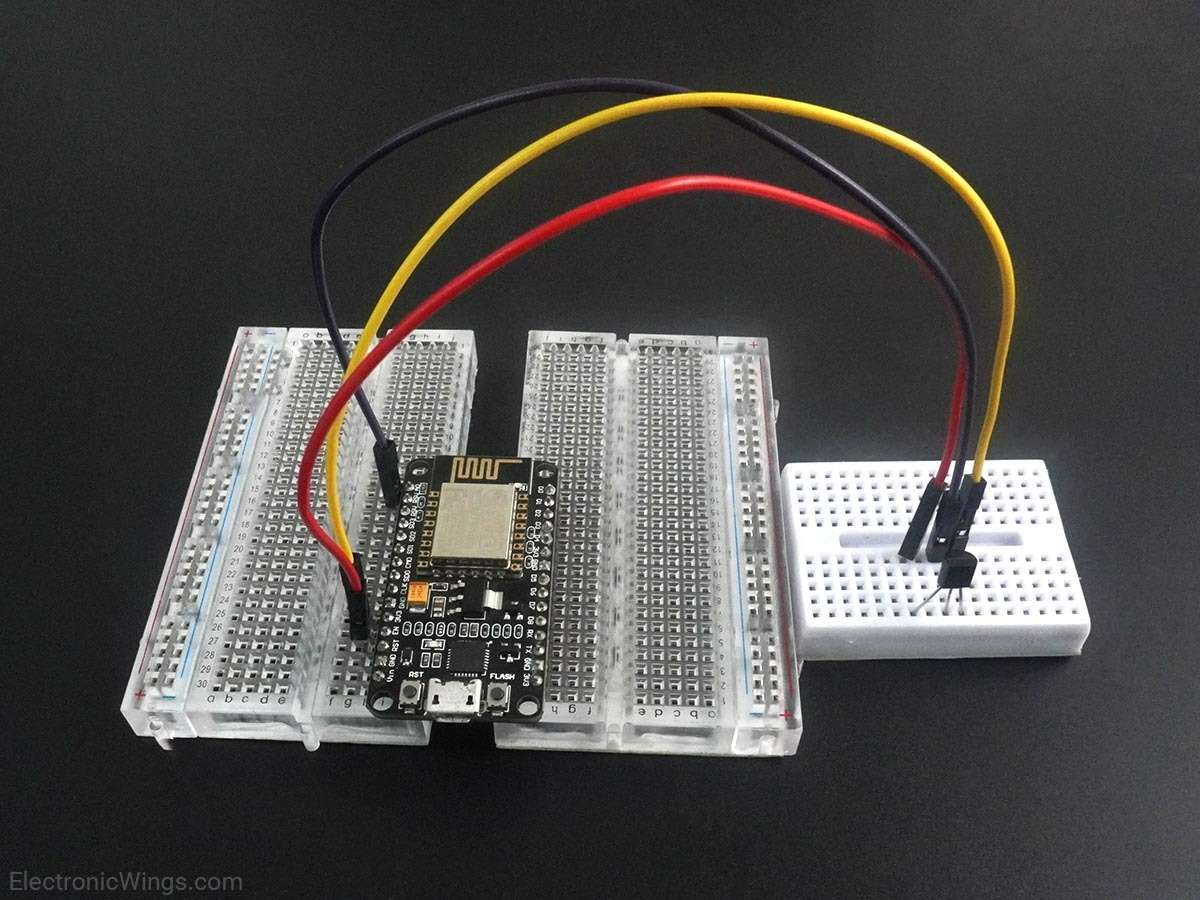
Measure Temperature using LM35 and NodeMCU
Here, the LM35 output is given to analog pin A0 of NodeMCU. This analog voltage is converted to its digital form and processed to get the temperature reading.
We can write codes for NodeMCU DevKit in either Lua Script or C/C++ language. We are using ESPlorer IDE for writing code in Lua scripts and Arduino IDE for writing code in C/C++. To know more refer to Getting started with NodeMCU using ESPlorer IDE (which uses Lua scripting for NodeMCU) and Getting started with NodeMCU using Arduino IDE (which uses C language-based Arduino sketches for NodeMCU).
Lua Script for LM35
Vref = 3.3
resolution = Vref/1023

analogVtg = adc.read(0)
if analogVtg> 1023 then
analogVtg = 1023
end
temperature = (analogVtg * resolution)*100
print('LM35 Temperature:', temperature)
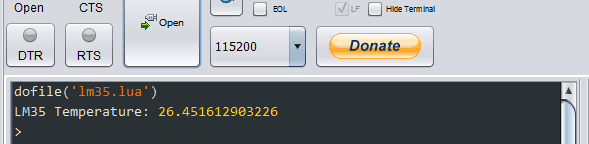
ESPlorer Serial Output Window
ESPlorer Serial monitor output window for LM35 temperature measure
LM35 Code for NodeMCU using Arduino IDE
float vref = 3.3;
float resolution = vref/1023;

void setup() {
 Serial.begin(9600);  /* Define baud rate for serial communication */
}

void loop() {
 float temperature = analogRead(A0);
 temperature = (temperature*resolution);
 temperature = temperature*100;
 Serial.println(temperature);
 delay(1000);
}
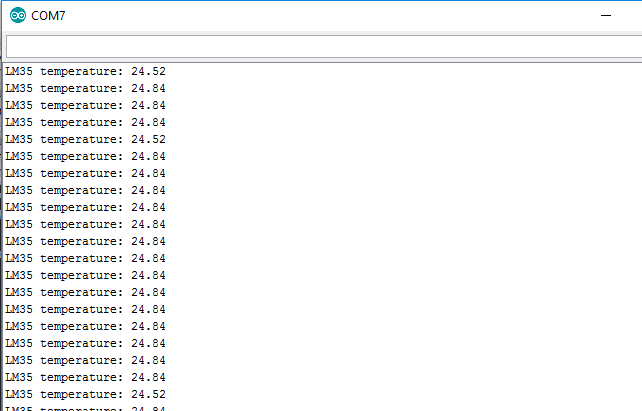
Arduino Serial Output Window
Arduino Serial monitor output window for LM35 temperature measure
Components Used
Powered by
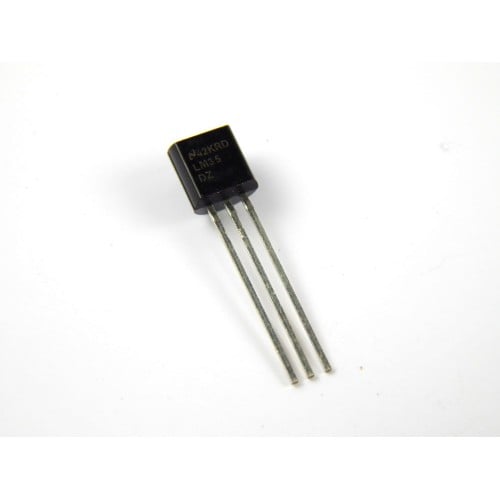
LM35 is a sensor which is used to measure temperature. It provides electrical output proportional to the temperature (in Celsius).
926-LM35DZ/NOPB
Downloads
Comments4
Join the discussion — share a question or tip.
- ST
Hello, see this article: http://agrilab.unilasalle.fr/projets/projects/tutoriels/questions/138-pont-diviseur-et-wemos-pro To adapt the A0 input for a voltage of 5 V
- 1919551a0483· edited
Hi sir can you provide code for lm 35 temperature sensor and pulse sensor using nodemcu for thingspeak My email id is 19551a0483@gmail.com
- VI
Hi, I'm relatively new to the electronics world and I've been successfully been able to perform the above setup. I have a doubt, the Vcc pin of LM35 is marked at 4 to 20 V, however, when we connect LM35 to NodeMCU, what we supply Vcc is 3.3 V which is less than 4 V minimum requirement of the LM35, still LM35 is working and transmitting the readings, how does this work? Vivek
- LO
@vivekseniorj2ee: In the datasheet, it is mentioned that min. voltage should be 4V. But if we connect 3V, this will also provide the output which is little unstable as compared to 5V. If we increase the voltage beyond 5V, the stability of output will start increasing. I tested for 20V and it provides much stable output.