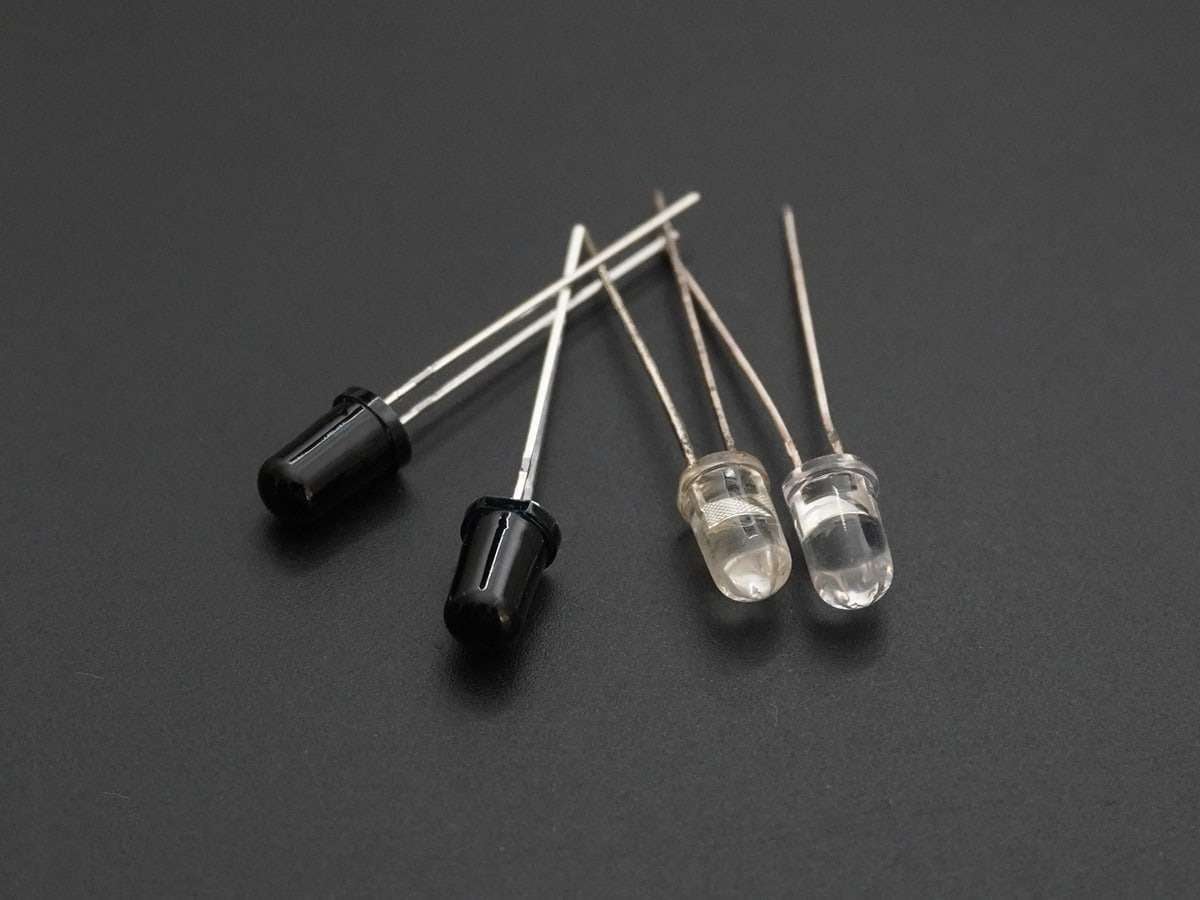
IR Communication using MSP-EXP430G2 TI Launchpad
IR (infrared) communication is wireless communication technology, used for short-distance data/control transmission. It is commonly used in TV remotes, mobile phones, computers, and PDAs, etc.
Overview of IR Communication
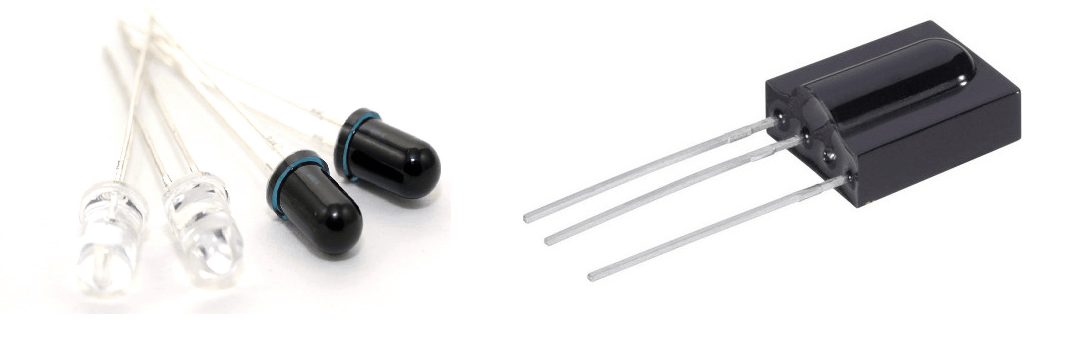
IR communication makes use of IR (Infrared) waves from the electromagnetic spectrum.
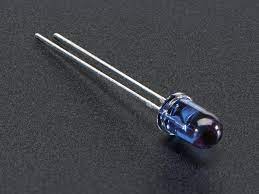
An IR LED is used to transmit data wirelessly in digital form (0 – LED OFF or 1 – LED ON).
An IR photodiode or IR phototransistor receives this data. The IR receiver (IR photodiode or IR phototransistor) gives different current values according to the intensity of light.
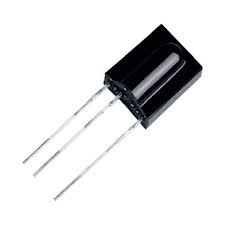
It is possible to modulate the data transmitted and there are special decoder IR receivers like TSOP1738 available that can receive the modulated data.
For more information about IR communication, refer to the topic IR Communication in the sensors and modules section.
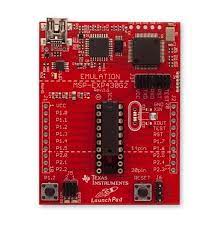
Connection Diagram of IR LED, Photodiode with MSP-EXP430G2 TI Launchpad
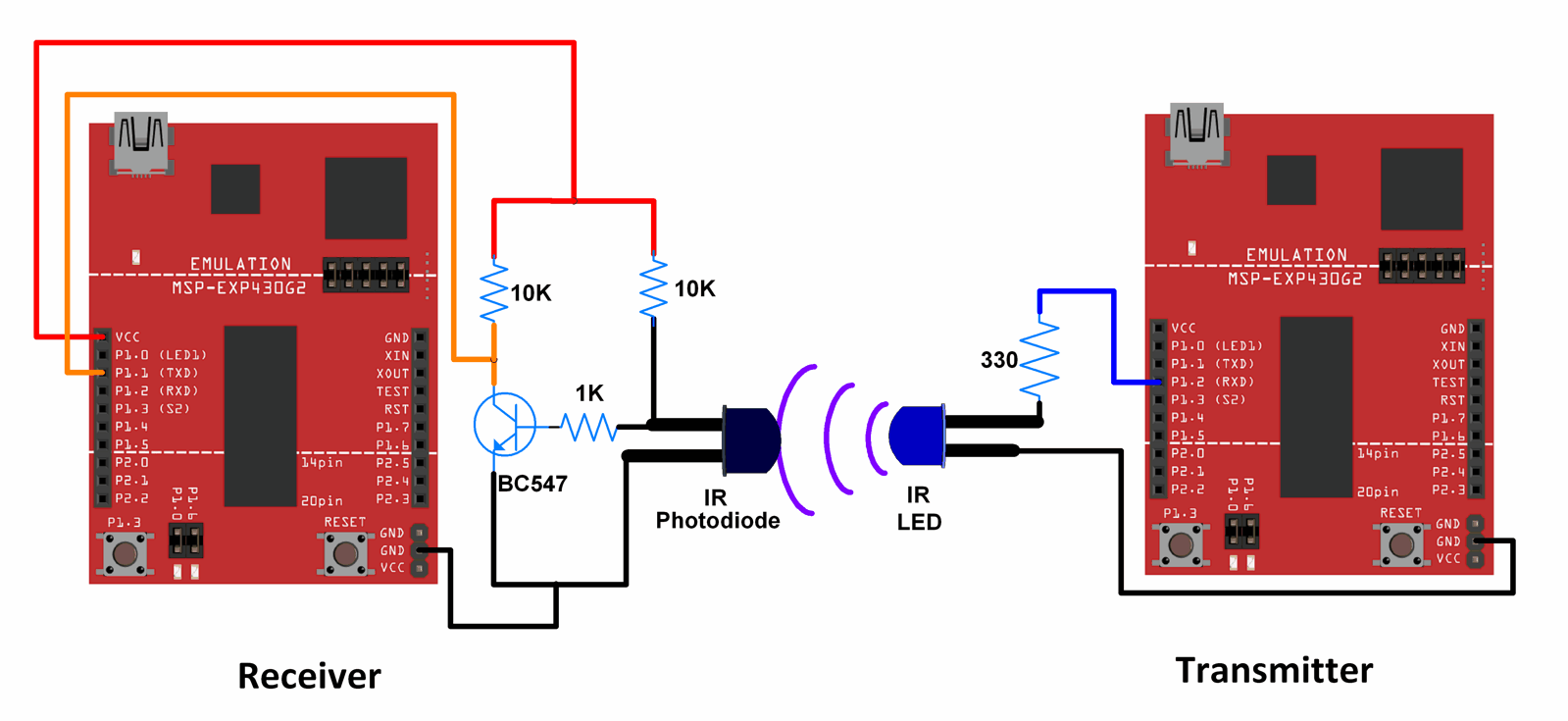
Note: For the TI Launchpad board, P1.1 is the Rx pin and P1.2 is the Tx pin when the jumpers are positioned for using Hardware Serial. Here, we are using, Hardware Serial, hence P1.1 is the Rx pin and P1.2 is the Tx pin.
When jumpers are positioned for software serial, P1.1 acts as the Tx pin, and P1.2 acts as the Rx pin.
Note: In the diagram shown above, for the IR LED as well as IR photodiode, the longer lead is the Anode and the shorter lead is the Cathode.
Also, the Photodiode is used in the reverse-biased mode (It is designed to operate in the reverse-biased mode).
Connection Diagram of IR LED, TSSOP1738 with MSP-EXP430G2 TI Launchpad
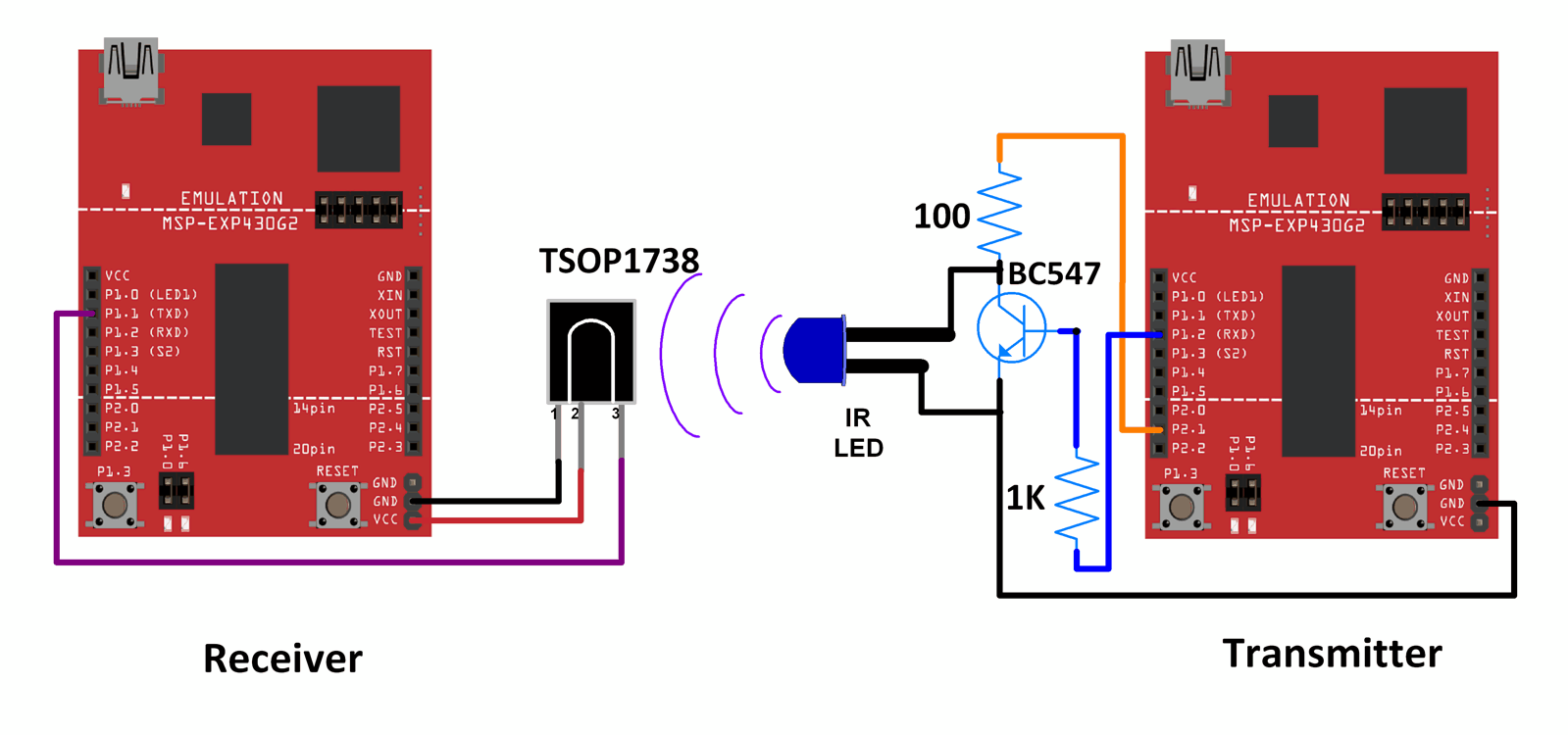
Note: For the TI Launchpad board, P1.1 is the Rx pin and P1.2 is the Tx pin when the jumpers are positioned for using Hardware Serial. Here, we are using, Hardware Serial, hence P1.1 is the Rx pin and P1.2 is the Tx pin.
When jumpers are positioned for software serial, P1.1 acts as the Tx pin and P1.2 acts as the Rx pin.
Note: In the diagram shown above, for the IR LED, the longer lead is the Anode and the shorter lead is the Cathode.
The data from the transmitter side is modulated at 38 kHz before transmission.
The TSOP1738 is an IR Receiver with the capability to demodulate signals that have been modulated at a frequency of 38 kHz.
Any other TSOP17xx receiver like the TSOP1730 can also be used instead of TSOP1738. The only difference is the carrier frequency that it can demodulate. For example, TSOP1730 can demodulate signals that have a carrier frequency of 30 kHz. Corresponding changes in the modulation scheme need to be made at the transmitter side if TSOP1730 or some other receiver is used.
Wireless IR communication between two MSP-EXP430G2 TI Launchpads.
Here, a simple count is transmitted from the transmitter using the IR LED. This count is received at the receiver by an IR photodiode or a TSOP1738. The count is transmitted as it is when the receiver is using IR photodiode. The count is modulated at 38 kHz when the receiver is using TSOP1738.
Note: IR is used just as a medium of data transmission between the transmitter and receiver. Data is being sent using the USART protocol.
Tread Carefully: MSP-EXP430G2 TI Launchpad board has a RAM of 512 bytes which is easily filled, especially while using different libraries. There are times when you need the Serial buffer to be large enough to contain the data you want and you will have to modify the buffer size for the Serial library. While doing such things, we must ensure that the code does not utilize more than 70% RAM. This could lead to the code working in an erratic manner, working well at times, and failing miserably at others.
There are times when the RAM usage may exceed 70% and the codes will work absolutely fine, and times when the code will not work even when the RAM usage is 65%.
In such cases, a bit of trial and error with the buffer size and/or variables may be necessary.
Code for IR Communication between IR LED and IR Photodiode Using TI Launchpad
Sketch for Transmitter
void setup() {
  Serial.begin(9600);	/* Define baud rate for serial communication */
  Serial.println("Transmitter");
}

void loop() {
  int count;
  for(count = 0; count<100; count++)
  {
    Serial.println(count);
    delay(1000);
  }
}
Sketch For Receiver
void setup() {
  Serial.begin(9600);	/* Define baud rate for serial communication */
  Serial.println("Receiver");
}

void loop() {
if(Serial.available())	/* If data is available on serial port */
  {
    Serial.print(char(Serial.read()));	/* Print character received on to the serial monitor */
  }
}
Video IR Communication using MSP-EXP430G2 TI Launchpad
Code for IR Communication between IR LED and TSOP1738 using TI Launchpad
Sketch For Transmitter
#define cr_pin 9

void setup() {
  Serial.begin(1200);	/* Define baud rate for serial communication */
  tone(cr_pin, 38000);	/* For modulation at 38kHz */
  Serial.println("Transmitter");
}

void loop() {
  int count;
  for(count = 0; count<100; count++)
  {
    Serial.println(count);
    delay(1000);
  }
}
Sketch For Receiver
void setup() {
  Serial.begin(1200);	/* Define baud rate for serial communication */
  Serial.println("Receiver");
}

void loop() {
if(Serial.available())	/* If data is available on serial port */
  {
    Serial.print(char(Serial.read()));	/* Print character received on to the serial monitor */
  }
}
Video of IR and TSSOP1738 Communication using MSP-EXP430G2 TI Launchpad
Components Used
Powered by
Downloads
Comments11
Join the discussion — share a question or tip.
- MPmprakashrao· edited
Details of my Project, I tried to use the similar setup, IR Transmitter has three buttons 1, 2, 3 ================================= #define cr_pin 9 void setup() { Serial.begin(1200); tone(cr_pin, 38000); pinMode(P2_2,INPUT_PULLUP); pinMode(P2_4,INPUT_PULLUP); pinMode(P2_5,INPUT_PULLUP); } void loop() { if(digitalRead(P2_2)== LOW) Serial.println("1"); if(digitalRead(P2_4)== LOW) Serial.println("2"); if(digitalRead(P2_5)== LOW) Serial.println("3"); delay(200); { } } ================================= on Receiver End, I am able to receive the Data The problem is.. ================================= void setup() { Serial.begin(1200); pinMode(P1_0,OUTPUT); delay(1000); } void loop() { digitalWrite(P1_0,LOW); if (Serial.available() > 0) { } if (Serial.read() == "1") { digitalWrite(P1_0,HIGH); } else { digitalWrite(P1_0,LOW); } } ================================== The Received Text using IR, i am unable to collect/ process in the code. i have used (Serial.Read(), option).......
- LO
Hello, you mean to say that you are unable to receive proper data at receiver? Try following code, I made some changes in your code and it may work for you. //program for Receiver end void setup() { Serial.begin(1200); pinMode(P1_0,OUTPUT); delay(1000); } void loop() { digitalWrite(P1_0,LOW); if (Serial.available() > 0) { char received_char = Serial.read(); if (received_char == '1') { digitalWrite(P1_0,HIGH); } else{ digitalWrite(P1_0,LOW); } } }
- MP
Replying to @lokeshc
Dear Sir, Thank you for the Reply, i tried this code with little modification.. 'Fd' instead of 1.. but it has not worked.. void setup() { Serial.begin(1200); pinMode(P1_0,OUTPUT); delay(1000); } void loop() { digitalWrite(P1_0,LOW); if (Serial.available() > 0) { char received_char = Serial.read(); if (received_char == 'Fd') { digitalWrite(P1_0,HIGH); } else{ digitalWrite(P1_0,LOW); } } }
- MP
Replying to @lokeshc
I tried another parameters of Serial, that is Serial.find() void setup() { pinMode(P1_0,OUTPUT); Serial.begin(1200); } void loop() { digitalWrite(P1_0,LOW); //Serial.setTimeout(100); if (Serial.find("Fd")) { digitalWrite(P1_0,HIGH);delay(50); } if (Serial.find("Bk")) { digitalWrite(P1_0,HIGH);delay(50); } } This one Worked, but only one condition thats Fd or Bk. i mean only one if condition is working, second if condition its not accepting.
- LO
Replying to @mprakashrao
In your below code, 'Fd' should be in double quote i.e. "Fd" Dear Sir, Thank you for the Reply, i tried this code with little modification.. 'Fd' instead of 1.. but it has not worked.. void setup() { Serial.begin(1200); pinMode(P1_0,OUTPUT); delay(1000); } void loop() { digitalWrite(P1_0,LOW); if (Serial.available() > 0) { char received_char = Serial.read(); if (received_char == 'Fd') { digitalWrite(P1_0,HIGH); } else{ digitalWrite(P1_0,LOW); } } } also if you are looking for string i.e. "Fd" then you should have to copy it in buffer (array). because Serial.read() function reads data serially i.e. one byte at a time. And if you are checking '1' or any single character then you can directly check it using If...else loop.
- MP
Replying to @lokeshc
Sir i Tried, the error is., Energia: 1.6.10E18 (Windows 7), Board: "MSP-EXP430G2553LP" sketch_apr09a:9: error: ISO C++ forbids comparison between pointer and integer [-fpermissive] exit status 1 ISO C++ forbids comparison between pointer and integer [-fpermissive]
- LO
Replying to @mprakashrao
The below code in which I made changes compiled successfully at my end. But I have not tested this code on hardware, it may work. void setup() { Serial.begin(1200); pinMode(P1_0,OUTPUT); delay(1000); } void loop() { digitalWrite(P1_0,LOW); if (Serial.available() > 0) { char received_char = Serial.read(); if (received_char == '1') { digitalWrite(P1_0,HIGH); } else{ digitalWrite(P1_0,LOW); } } } I am not getting why you are facing ISO C++ forbids.... error.
- MP
Replying to @lokeshc
Sir your given code is working Perfectly, (more Effective then Serial.Find()). only i have added Delay(100); in the last second line. But still i am unable to compare the word (Fd, Bk ) i mean its working fine with numbers, but alphabets its not recognizing. Thank You,