DHT11 Sensor Interfacing with Particle Photon
Interface a single wire DHT11 digital humidity and temperature sensor with Particle Photon. Then, Display relative humidity in percentage and temperature in degree Celsius on a serial window.
Introduction
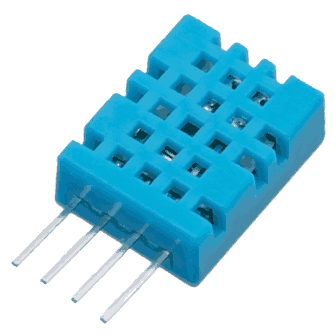
DHT11 Sensor
DHT11 sensor measures and provides humidity and temperature values serially over a single wire.
It can measure relative humidity in percentage (20 to 90% RH) and temperature in degree Celsius in the range of 0 to 50°C.
It has 4 pins; one of which is used for data communication in serial form.
Pulses of different TON and TOFF are decoded as logic 1 or logic 0 or start pulse or end of frame.
For more information about DHT11 sensor and how to use it, refer the topic DHT11 sensor in the sensors and modules topic.
Interfacing Diagram
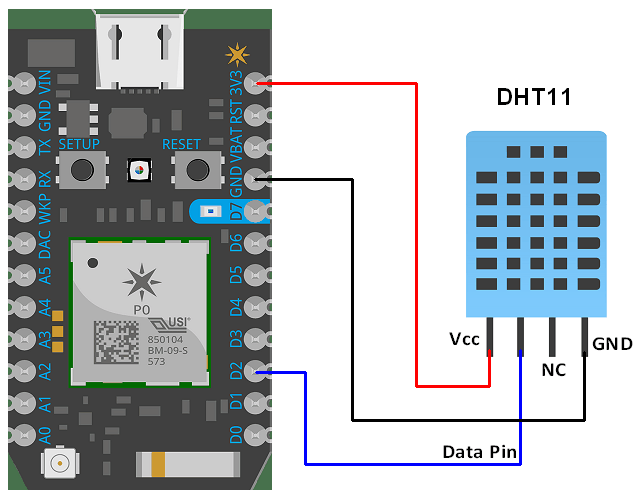
Interfacing DHT11 Sensor with Particle photon
Example
Reading temperature and humidity from DHT11 sensor.
Here, we will be using Adafruit_DHT library from Particle Library.
Follow the steps given below to add the library.
1. Go to web or Desktop IDE
2. Click on Library Icon.
.PNG)
3. Type Adafruit_DHT and click on that and open it.
.PNG)
4. Click on Example of dht-test.ino and click on USE THIS EXAMPLE.
.PNG)
Changes:
Uncomment the line #define DHTTYPE DHT11 and
Comment out the line #define DHTTYPE DHT22
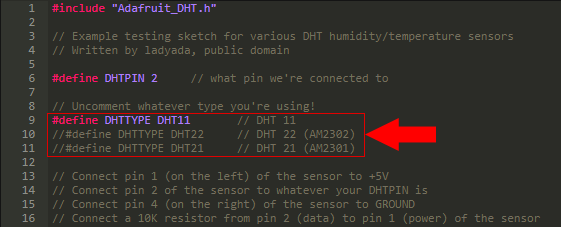
Sketch for Reading Temperature And Humidity From DHT11
#include "Adafruit_DHT.h"

// Example testing sketch for various DHT humidity/temperature sensors
// Written by ladyada, public domain

#define DHTPIN 2     // what pin we're connected to

// Uncomment whatever type you're using!
#define DHTTYPE DHT11		// DHT 11
//#define DHTTYPE DHT22		// DHT 22 (AM2302)
//#define DHTTYPE DHT21		// DHT 21 (AM2301)

// Connect pin 1 (on the left) of the sensor to +5V
// Connect pin 2 of the sensor to whatever your DHTPIN is
// Connect pin 4 (on the right) of the sensor to GROUND
// Connect a 10K resistor from pin 2 (data) to pin 1 (power) of the sensor

DHT dht(DHTPIN, DHTTYPE);

void setup() {
	Serial.begin(9600);
	Serial.println("DHTxx test!");

	dht.begin();
}

void loop() {
// Wait a few seconds between measurements.
	delay(2000);

// Reading temperature or humidity takes about 250 milliseconds!
// Sensor readings may also be up to 2 seconds 'old' (its a
// very slow sensor)
	float h = dht.getHumidity();
// Read temperature as Celsius
	float t = dht.getTempCelcius();
// Read temperature as Farenheit
	float f = dht.getTempFarenheit();

// Check if any reads failed and exit early (to try again).
	if (isnan(h) || isnan(t) || isnan(f)) {
		Serial.println("Failed to read from DHT sensor!");
		return;
	}

// Compute heat index
// Must send in temp in Fahrenheit!
	float hi = dht.getHeatIndex();
	floatdp = dht.getDewPoint();
	float k = dht.getTempKelvin();

	Serial.print("Humid: ");
	Serial.print(h);
	Serial.print("% - ");
	Serial.print("Temp: ");
	Serial.print(t);
	Serial.print("*C ");
	Serial.print(f);
	Serial.print("*F ");
	Serial.print(k);
	Serial.print("*K - ");
	Serial.print("DewP: ");
	Serial.print(dp);
	Serial.print("*C - ");
	Serial.print("HeatI: ");
	Serial.print(hi);
	Serial.println("*C");
	Serial.println(Time.timeStr());
}
Output of DHT11
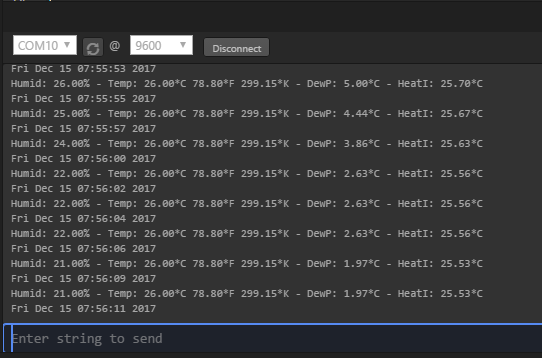
Components Used
Powered by
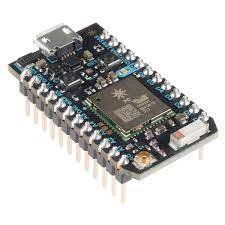
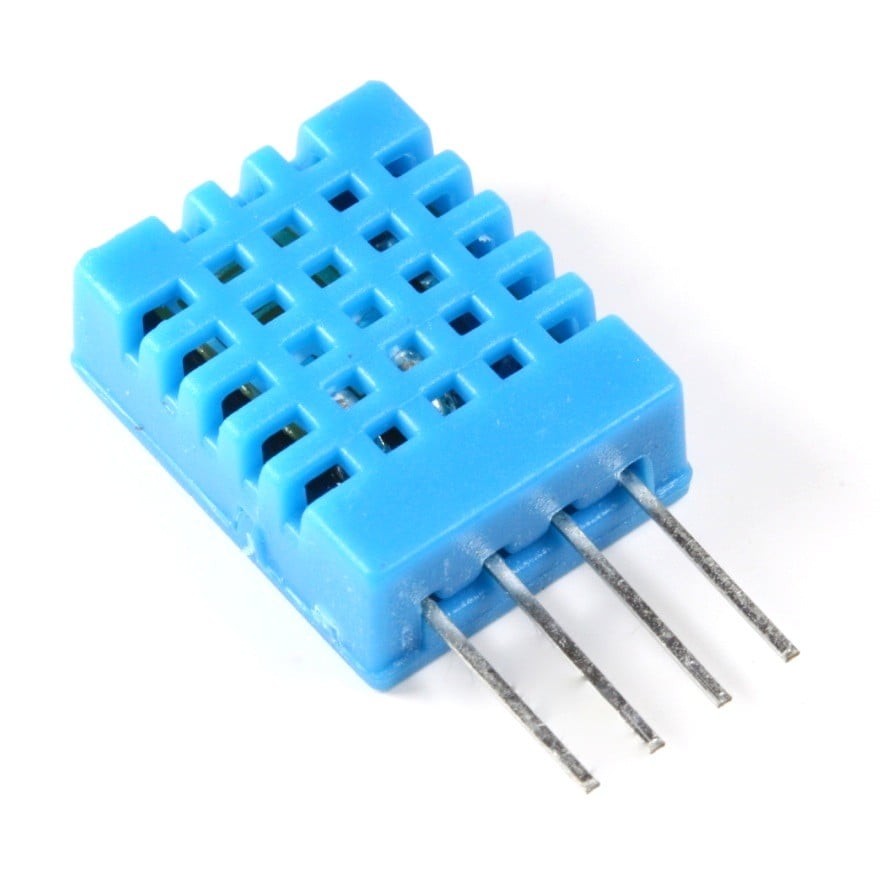 × 1
× 1DHT11 is a single wire digital humidity and temperature sensor, which gives relative humidity in percentage and temperature in degree Celsius.
485-386
Downloads
Comments4
Join the discussion — share a question or tip.
- MU
Web IDE dont show output screen ? Can anybody help me ?